5. BEFORE PUTTING THE EQUIPMENT INTO OPERATION
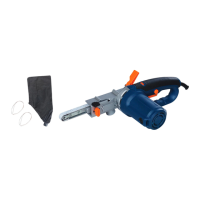
Attaching and replacing
1. Push back the attachment lock button.
2. Turn the product upside down and slide the attachment out of the base plate.
3 Replace the worn part and fit a new one.
4. Depress the attachment lock button to lock the attachment in place.
Dust extraction
We recommend the use of the dust extraction facility at all times.
Simply slide the dust extraction tube or box onto the dust extraction port and slide fully in to keep it in position. The dust extraction tube can be
connected with a dust extraction system or a suitable vacuum cleaner.
Always keep the dust extraction holes in the sanding base free of obstructions.
WARNING. Do not use the dust extraction box when sanding metal. The hot
metal particles could cause residual wood dust or the box itself to catch fire
6. OPERATION
Switch on and off
1. Switch the sander on by pressing the “I” mark of the on/off switch.
2. To turn off the sander, press the “O” mark of the on/off switch.
NOTE: Always lift the sander from the work before switching on or switch off.
Sanding
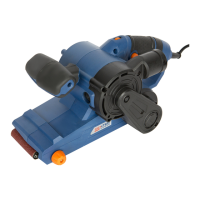
The sander can be used for most sanding operations on materials such as wood, plastic, metal and painted surfaces.
WARNING : Don’t use this machine on plaster.
Wear safety goggles and dust mask.
Where possible, secure smaller workpiece to prevent them from moving under the sander.
Lower the sander in contact with the workpiece without pressure and then start the sander.
Move the sander slowly over the surface of the workpiece in a circular or curved motion with an even, moderate pressure.
If there are still scratches on your work after sanding, try either of the following:
- Go back to a coarser grit and sand the marks out before recommencing with the original choice or,
- Try using new sanding sheet of the same grit to eliminate the unwanted marks before progressing to a finer grit and finishing the job.
22



 To Next Page