11
Quick Setup Guide
Quick Setup
Guide
1.3 Ports and Connectors
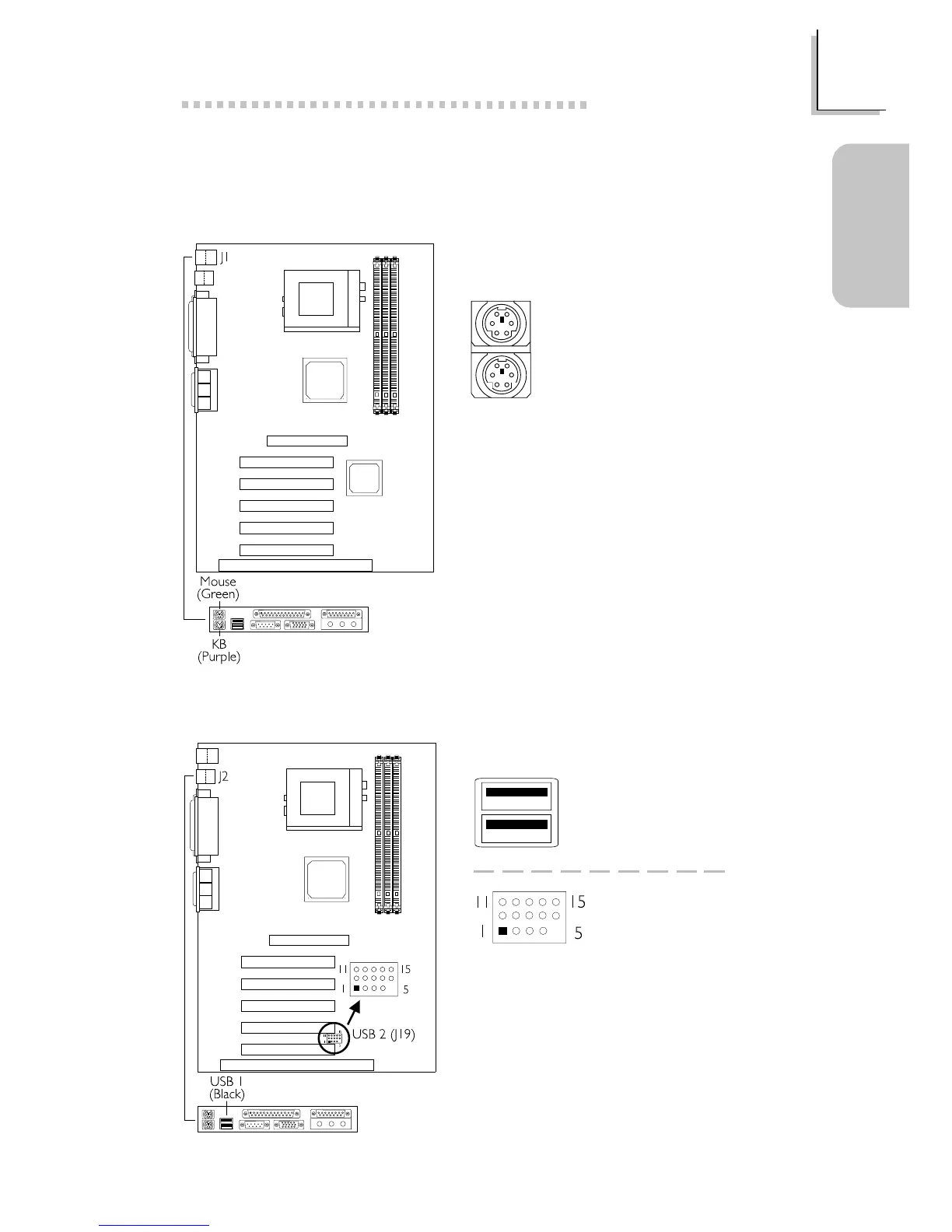
1.3.1 PS/2 Mouse and PS/2 Keyboard Ports
Make sure to turn off your computer
prior to connecting or disconnecting a
mouse or keyboard. Failure to do so
may damage the system board.
PS/2 Mouse
PS/2 Keyboard
1.3.2 Universal Serial Bus Ports
USB 1
USB 2
(J19)
1 VCC
2 UP2-
3 UP2+
4 Ground
5 Key
6 VCC
7 UP3-
8 UP3+
9 Ground
10 Ground
11 Ground
12 Ground
13 UP2+
14 UP2-
15 VCC



 To Next Page