EN
6
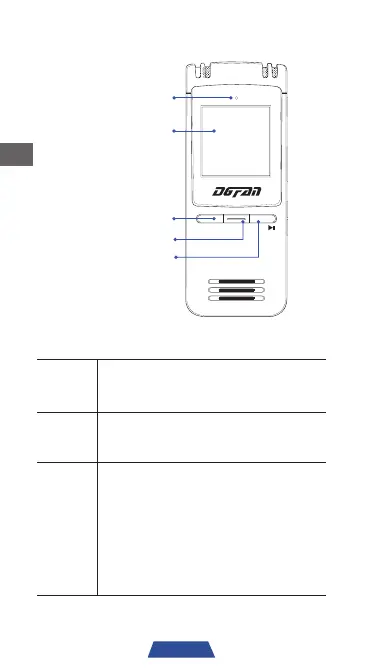
STOP REC PLAY
Indication light
Screen
STOP
Record
PLAY
STOP
While recording, press to stop and
save the recording file.
During playback, press to stop.
REC
Press at any time to start a recording,
press again at any time to pause the
recording.
PLAY
While in the menu interface, press
to enter or confirm your settings.
While on standby mode, press and
hold to turn on the recorder. Press
and hold again to return to standby
mode.
During playback, press to pause
and press again to resume.



 To Next Page