EasyManua.ls Logo

DGT Projects DGT 2010 - User Manual

DGT Projects DGT 2010
60 pages
Print Icon
To Next Page IconTo Next Page
Loading...
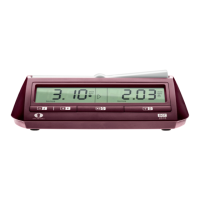
DGT 2010
SUCCESSOR OF THE DGT2000
User manual
Gebrauchsanweisung
Manuel d’utilisation
Руководство пользователя
Manual de usuario

Table of Contents

Question and Answer IconNeed help?

Do you have a question about the DGT Projects DGT 2010 and is the answer not in the manual?

Summary

Overview

Registration Methods

Describes the different timing methods offered by the DGT 2010 for various games.

Introduction to Timing

Explains the role of time in games and the DGT 2010's approach to timing.

Operation

Basic Operations

Covers battery installation, powering on/off, and starting/stopping the game.

Setting and Activating Options

Guides on choosing and activating specific timing options for gameplay.

Game Adjustments and Signals

Details on pausing, correcting time/moves, and audible signals.

Manual Settings Procedure

Step-by-step guide for manually configuring timing parameters.

Settings Navigation and Changes

How to skip manual entries and manage time changes.

Display Information

Explanation of display symbols and time format.

Game Monitoring

How to check option numbers and move counts during a game.

Advanced Operations and Maintenance

Covers move checking, auto-repeat, byo-yomi reload, contrast, corrections, and cleaning.

Technical Specifications

Details on batteries, accuracy, housing, and product compliance.

Summary

Overview

Registration Methods

Describes the different timing methods offered by the DGT 2010 for various games.

Introduction to Timing

Explains the role of time in games and the DGT 2010's approach to timing.

Operation

Basic Operations

Covers battery installation, powering on/off, and starting/stopping the game.

Setting and Activating Options

Guides on choosing and activating specific timing options for gameplay.

Game Adjustments and Signals

Details on pausing, correcting time/moves, and audible signals.

Manual Settings Procedure

Step-by-step guide for manually configuring timing parameters.

Settings Navigation and Changes

How to skip manual entries and manage time changes.

Display Information

Explanation of display symbols and time format.

Game Monitoring

How to check option numbers and move counts during a game.

Advanced Operations and Maintenance

Covers move checking, auto-repeat, byo-yomi reload, contrast, corrections, and cleaning.

Technical Specifications

Details on batteries, accuracy, housing, and product compliance.

DGT Projects DGT 2010 Specifications

General IconGeneral
TypeDigital Chess Clock
DisplayLCD
Product TypeChess Clock
Power Source2 x AA batteries
Board MaterialNot applicable
Board SizeNot applicable
Square SizeNot applicable
Power Supply2x AA batteries
CompatibilityUniversal