4
DGT2500
Manual
In this mode you can switch the lever freely, but not change any other settings.
Pressing the left arrow button will show the settings details. More information on setting the
chess clock is given under the heading “Setting details” of this section.
When you have found the timing option you wish to use, press the play/pause or right arrow
button to select it.
If you want to check if the chosen time control/ option is correct, you can also press the left
arrow to show the setting details.
When all settings are correct, press the play/pause button to start the clock.
Time running mode
When the clock has been started, it will start counting down on the side where the lever is up.
When a player has finished their turn, they must push the lever down. When this happens, the
other side has the lever up and their clock starts counting down. This will continue until either
side has reached zero.
Wait for start
After selecting an option, the clock enters “Wait for start” mode. This is the “Pause” before
the start of a match. Now some final adjustments can still be made:
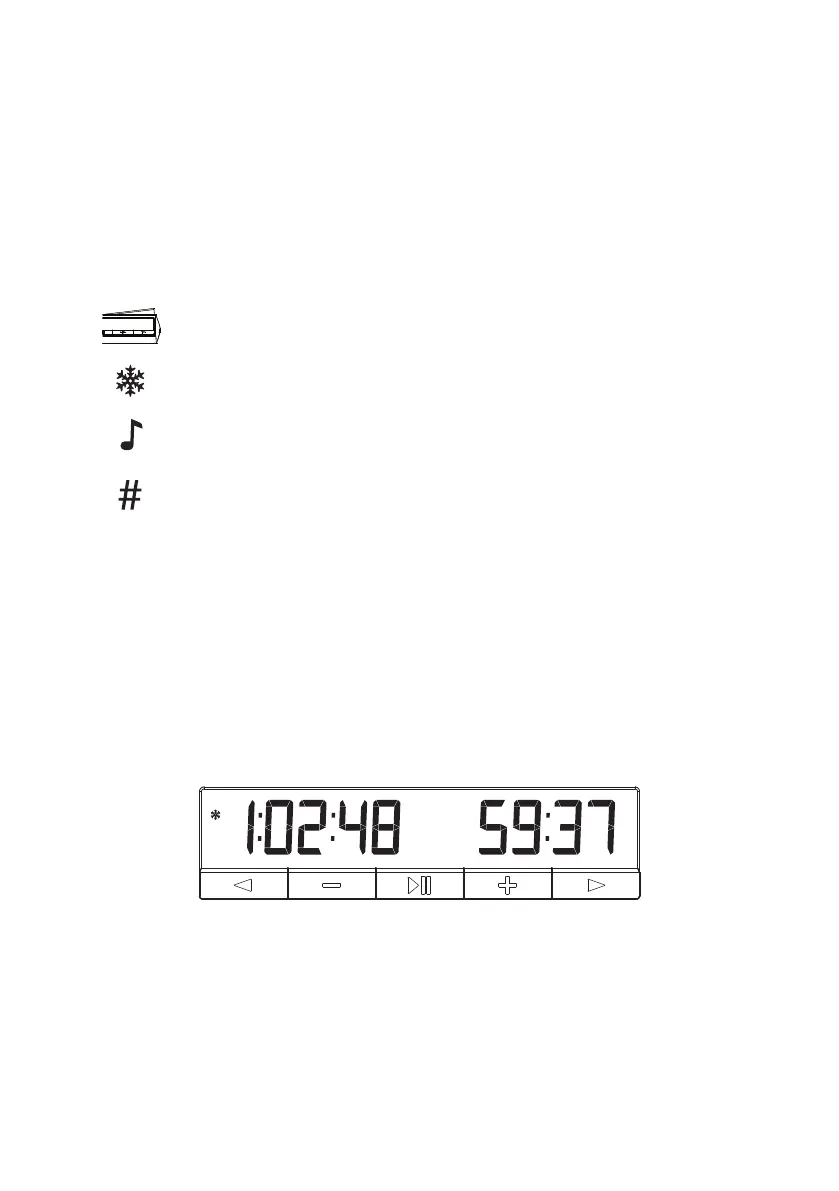
The freeze function can be turned on or off by holding the right arrow button.
The sound function can be turned on or off by holding the minus button.
The “Forced move counter” can be turned on or off by holding the left arrow
button.
The position of the lever can still be changed to indicate the correct starting
side/ white side.
When the clock is running, pressing buttons has no effect except when the plus button is
pressed and the move counter screen is shown. This can be done with or without “Forced
move counter” active.
When the time is running the option and period numbers will be hidden. If the sound, freeze
and/or “Forced move counter” are activated, the corresponding symbol will remain visible.
Figure 3. Time Running mode



 To Next Page