5
DGT2500
Manual
Show move counter
During certain modes the move counter can be shown using the plus button. When holding
the plus button, the screen will show a “W” and “B” to indicate the “White” and “Black” side.
The digits next to the “W” and “B” show the number of times the lever has been switched.
Which, when the clock has been properly used, should correspond to the number of moves
completed on the board.
Pause
You can pause and start the clock by pressing the play/pause button. This will pause the
countdown for both sides, the play/pause symbol will be shown, and the option number
and period number will be visible. During pause you can turn the settings for freeze, sound
and “Forced move counter” on or off. But you may not change the lever position. If the lever
position is changed during pause, it must be returned to it’s original position from before the
clock was paused. Otherwise, the clock will go in to “Arbiter mode” as a safety precaution.
Flag-fall
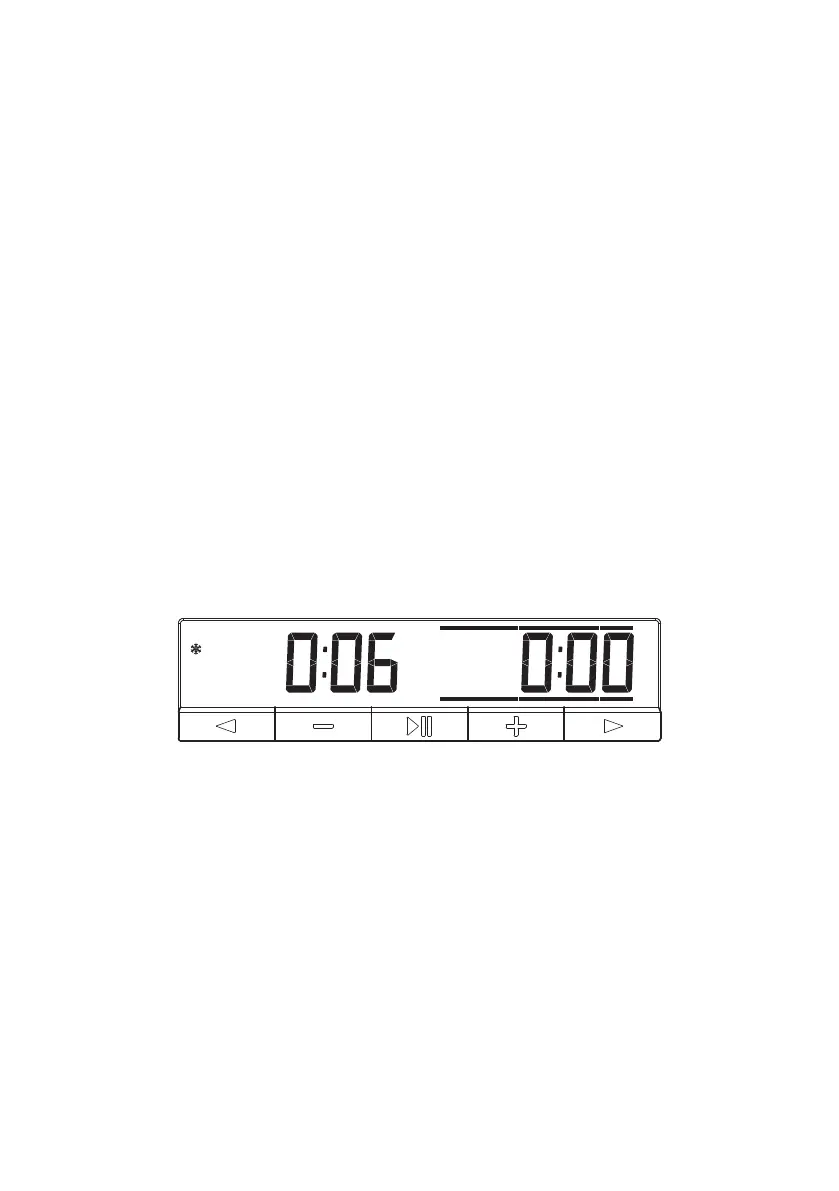
A Flag-fall occurs if a player has used all their available time. To indicate the Flag-fall, two
blinking bars are shown above the numbers 0:00. If the clock is used with the freeze function
not active, the other side is still able count down if the lever is up on that side. If freeze is active,
the time cannot count down for either side after 0:00 is reached. Even if the lever position is
switched.
Note that the flag bars are also shown when a period transition occurs. At that moment the
flag bars are displayed (not blinking) for 5 minutes.
Setting details
It is possible to check the current settings of the clock during “Option select, Wait for start
and Pause”. By pressing the left arrow button, the clock will first show the time control
category. For example, “Fischer” for Fischer bonus time controls. By pressing the right arrow,
you can go to the next screen and view the starting time of the first period. When you press
the right arrow again you can see the bonus time for the first period. This action can be
repeated until you have seen the starting time and increment for each period.
Return to the previous clock mode by pressing the left button again, pressing the play/pause
button or by pressing the right button until all information screens have passed.
Figure 4. Flag Fall



 To Next Page