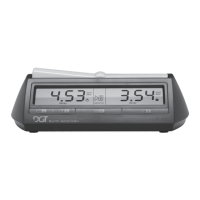
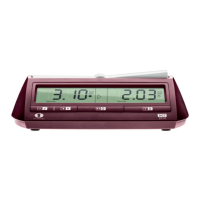
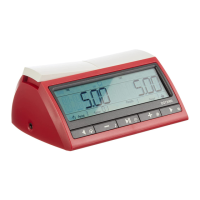
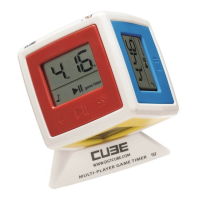
English: Instructions for use
of the easy gametimer
1 How to make your clock ready for use 4
2 How do you play with the easy gametimer. 4
3 How to temporarily pause the clock. 4
4 Starting a new game 4
5 Sound signal 4
6 Setting of the time measuring modes and
time-controls. 5
7 The time measuring modes of the easy
gametimer. 5
Technical specifications 5
Warranty conditions 6
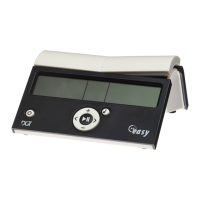
We wish to congratulate you on your decision to buy
the easy gametimer.
The easy gametimer was developed in the
Netherlands by DGT, the designers of the official
match clock of the World Chess Federation FIDE.
All information as regards the various digital game
clocks by DGT can be found on our website:
www.dgtprojects.com
We wish you a lot of playing pleasure with your easy
gametimer.
1 How to make your clock ready for use
Take the easy gametimer out of the box and slide the
battery cover open. Place 2 penlight batteries (AA,
1.5V) into the battery case. We would advise the use
of alkaline batteries. Then close the battery cover.
When your batteries become exhausted, the battery
symbol
in the display will show (see Fig. 1).
2 How do you play with the easy gametimer.
Switch the easy gametimer on by pressing on the
On/Off button . The first time this is done, the default
mode of the easy gametimer will show the “Game
timer” method in which both players have 5 minutes
‘count down’ reflection time (see 6 and 7). The sound
is switched on (see 5).
Press briefly on the central start/stop
button. The
clock of the player whose lever is in the ‘up’ position
starts counting down. After the player has made his
move, he should press his lever and the ‘count down’
on the clock of his opponent begins.
3 How to temporarily pause the clock.
Count down of the clock can be temporarily be
interrupted by pressing the central Start/Stop button
. Press this button once more to restart the clock.
During the pause the way the clock was set can be
adapted (see 8).
4 Starting a new game
Press briefly on the On/Off button and the easy
gametimer is ready for a new game. The settings of
the clock will be identical to the previous game.
5 Sound signal
You may switch the sound signal on or off at any time
during the game by pressing the sound button .
When sound is switched on, you will hear warning
beep signals during the last five seconds prior to falling
of your flag.


 To Next Page
 Loading...