12
Connecting you STB
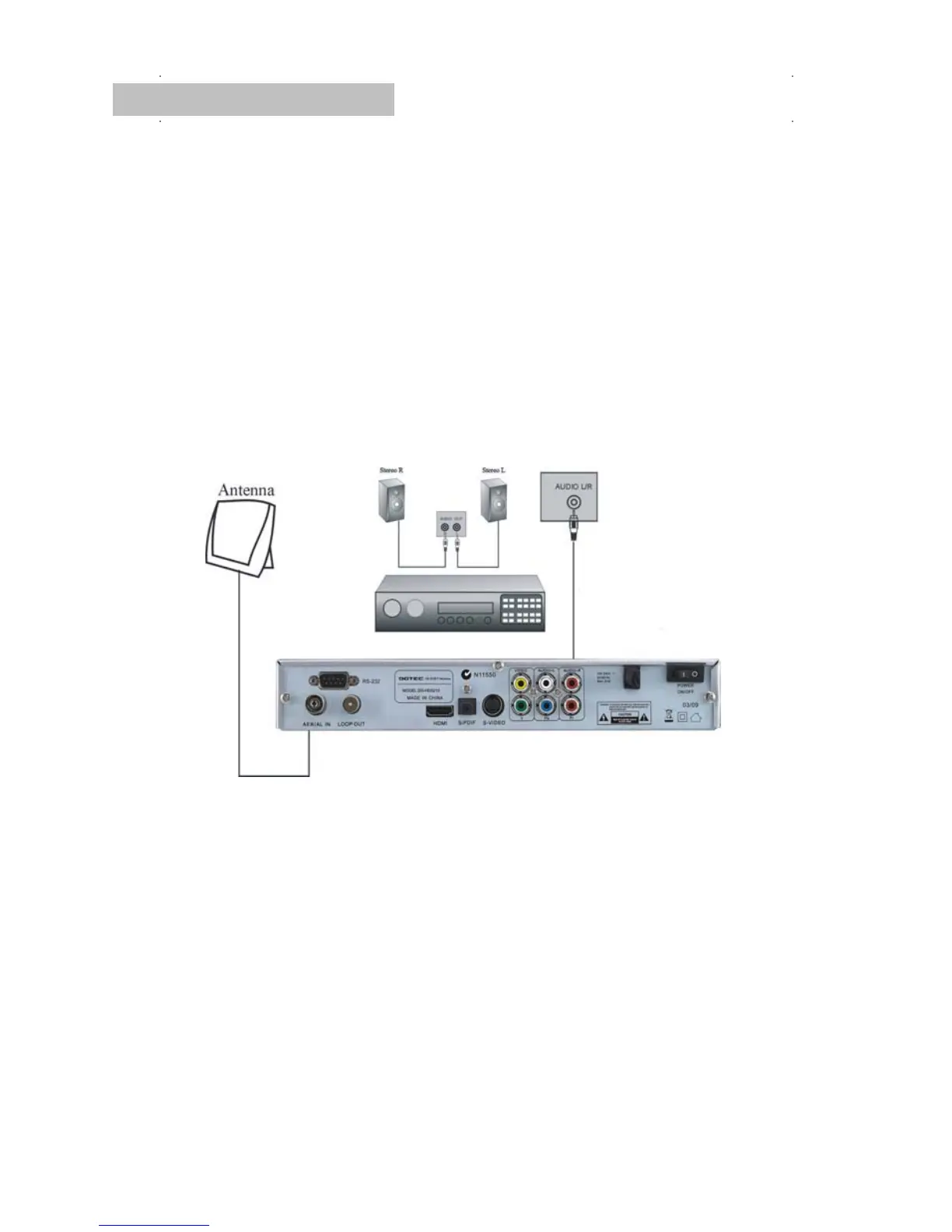
How do I connect to an external audio device?
Connect the AUDIO R/L socket of the STB to the Audio System e.g. HI-FI, Amplifier, etc.
Alternatively an optical cable can be used from the rear S/PDIF to a surround sound
system. This offers the user the best possible audio quality, only if program being viewed
is broadcast in a recognisable audio format.


 To Next Page