5.4 Factory default
The factory default enables you to reset your STB back to factory settings.
WARNING: You will loose all settings and channels already saved.
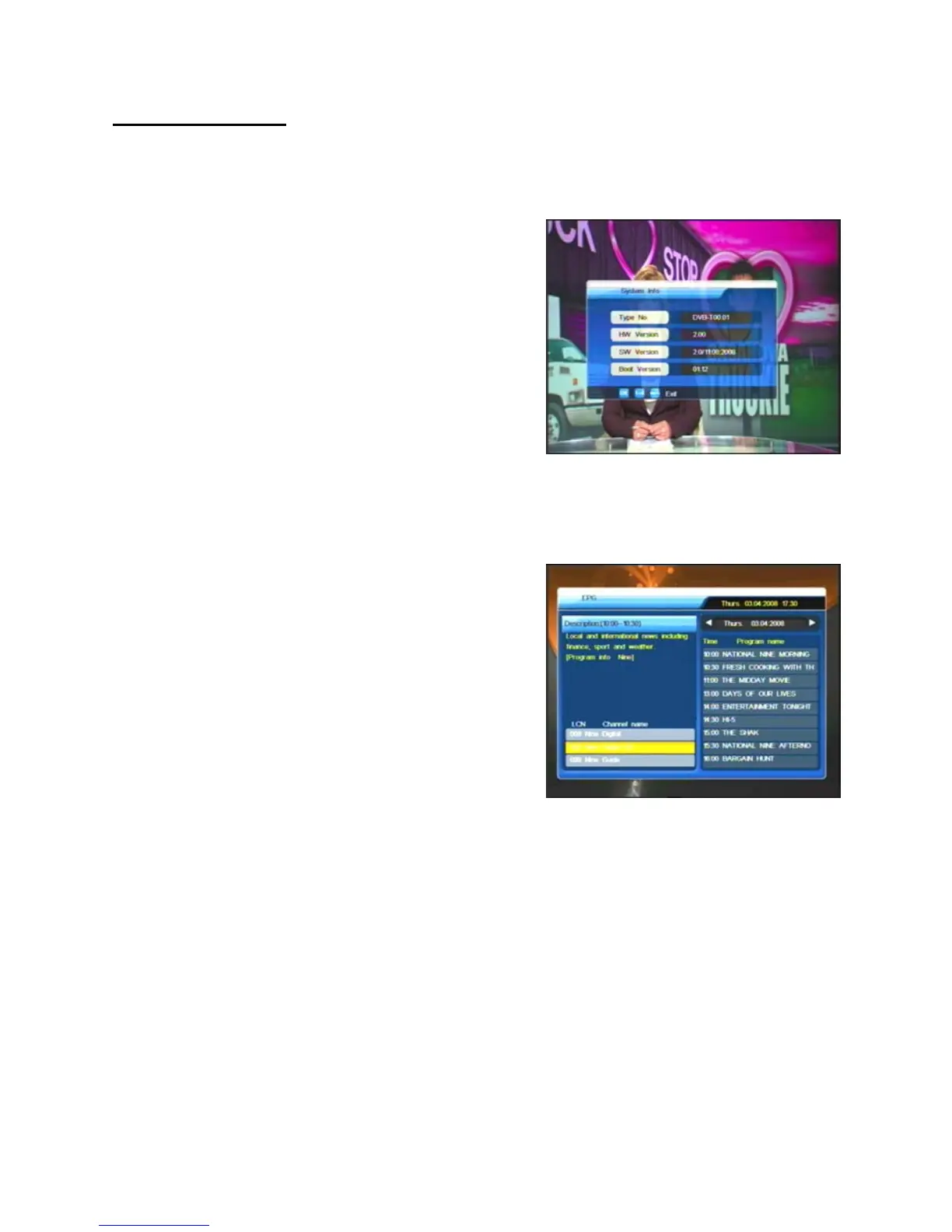
6. System Info.
System Info provides you current hardware
and software information for your STB.
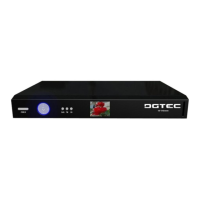
EPG (Electronic Program Guide): Press EPG on the remote control and select the
channel of your choice. Please be patient as it takes some time for information to
load.
1. Highlight the channel of your choice
(at the bottom left). The EPG detai
information is shown on the upper left.
The current program is also highlighte
17
l
d.
2. To choose a different channel, press CH▼ or
CH▲ until the channel you are interested in is
highlighted.
3. To display extended information about a
displayed program, press OK to highlight the EPG index on the right hand side. If
necessary, press CH▼ or CH▲ or
VOL
e
or VOL
f
to change to another date until the
EPG index you are interested in is highlighted. Extended information is displayed about
the highlighted program in the upper left box.


 To Next Page