© 2011 DHD Deubner Hoffmann Digital GmbH
9
Series 52 - 52/SX Compact Mixing Console Installation Guide
Specifications and design are subject to change without notice. The content of this document is for information only. The information presented in this document does not form part
of any quotation or contract, is believed to be accurate and reliable and may be changed without notice. No liability will be accepted by the publisher for any consequence of its use.
Publication thereof does neither convey nor imply any license under patent rights or other industrial or intellectual property rights.
5.4.1 Connecting modules to the XS Core
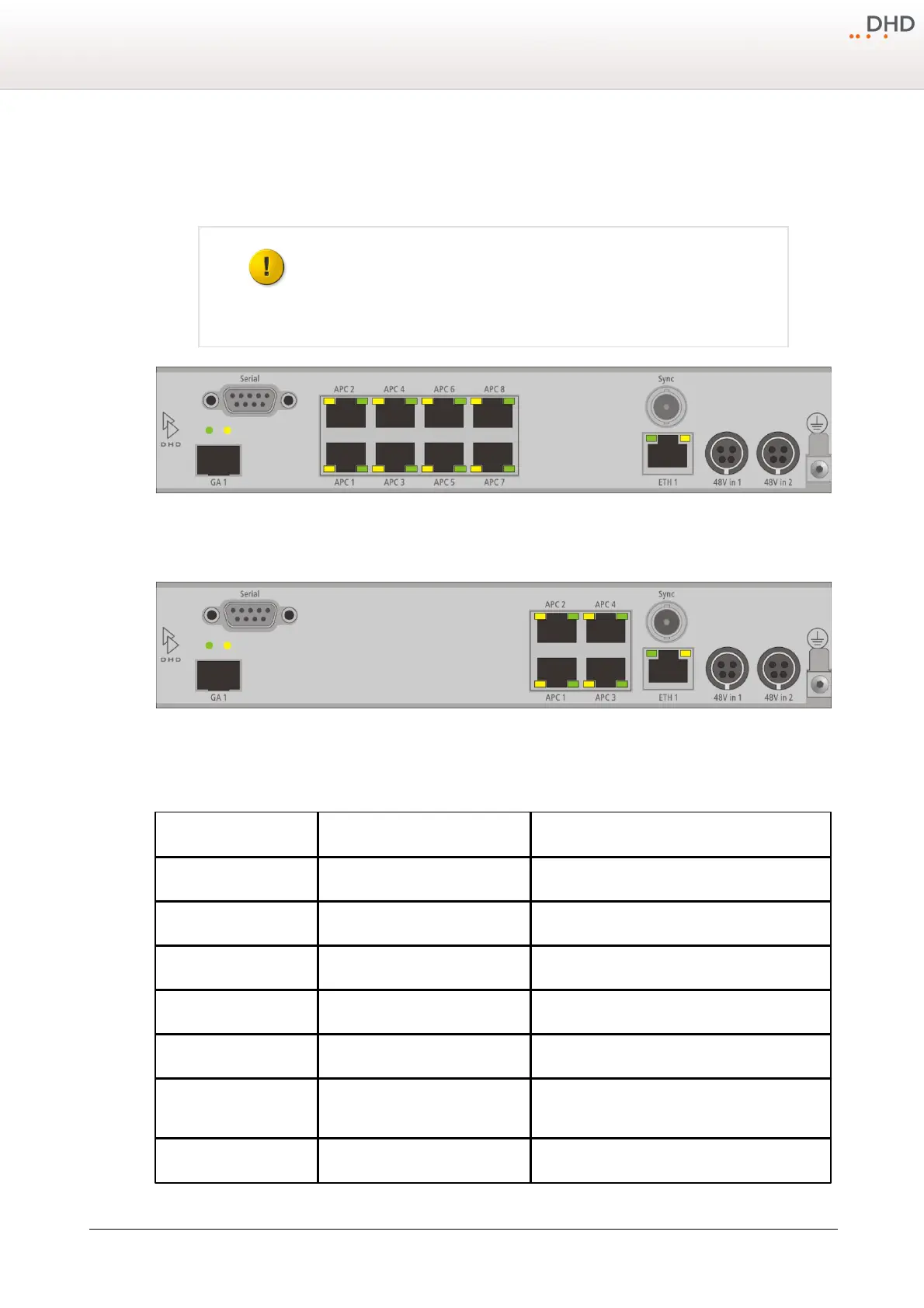
The control modules and I/O boxes have to be connected to the APC ports of the 52/XS Cores 52-180x. It is important to
connect the peripheral modules to the correct APC port.
Use always shielded CAT5 or CAT6 ethernet cables (at least S/UTP, F/UTP or SF/
UTP) to connect these modules to the XS core.
Rear view of 52-1801
Rear view of 52-1804
In the following table you can find the assignment of the control modules, I/O boxes, DeviceLinks and TFT/Touch displays
to the APC ports.
central control module 52-1010
fader module 4 / I/O box 3 /
DeviceLink 3 *



 To Next Page