
 Need help?
Do you have a question about the Diagraph 4000-HMI and is the answer not in the manual?
Covers warnings, ESD, spill cleanup, and storage of inks and conditioners.
Details the main display elements like Message Window, Task Select, and Print/Pause.
Explains the function of Print, Purge, and Status buttons on the controller.
Describes the layout and elements of the message editing screen.
Details the use of on-screen keyboards and their selection options.
Explains how to insert and format time and date codes into messages.
Covers setting up product counts, variable data, and inserting logos.
Details barcode configuration, product setup, and menu functions.
Explains message information display and manual cursor/field positioning.
Guides through accessing various functions via the Apps screen.
Covers setting time, date, shifts, and managing user access levels.
Details how to define user-specific codes for time and date information.
Explains input/output status indicators and manual relay control.
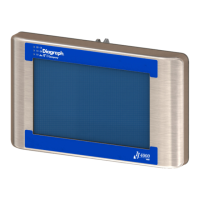
Lists physical and operational specifications for the HMI controller.
Details the physical and operational specifications for the HH controller.
Provides detailed specifications for the IJ4000 SMART-IDS unit.
Lists the physical and operational specifications for the IV4000 SMART-IDS unit.
Shows the system interconnect diagram for the HMI controller CPU board.
Illustrates the HH controller board layout and connections.
Depicts the wiring connections for the IJ4000 SMART-IDS.
Illustrates the wiring diagram for the IV4000 SMART-IDS.
Provides test points and LED descriptions for the SMART-IDS CPU board.
Continues detailing the CPU board connections and interface points.
Details LEDs, connectors, and functions of the ink supply board.
Lists test points, LEDs, and fuses for the IV4000 ink supply board.
Describes test points and functions for the IJ4000 print head interface board.
Details the connections for the IJ4000 print head interface board.
Details test points and functions for the IV4000 print head interface boards.
Details the connections for the IV4000 print head interface boards.
Shows connection diagrams for IJ4000 and IV4000 SMART-IDS units.
Explains how ijRemote controls SMART-IDS via desktop sharing protocol.
Step-by-step guide to backing up controller files to USB.
Step-by-step guide to restoring controller files from USB.
Outlines steps for configuring PC network settings for communication.
Explains how to use the File Manager for copying, cutting, pasting, and deleting files.
Details the procedure for transferring logo and font files to the print head.
Introduces the ijRemote application and its icons for connecting to SMART-IDS devices.
Describes setting up multiple SMART-IDS units with one HMI via Ethernet.
Provides steps for physically connecting a SMART-IDS to the network.
Guides on setting IP addresses and network parameters for SMART-IDS.
Explains how to send network settings and add SMART-IDS to the list.
Details saving the SMART-IDS list and uploading configuration files.
Lists supported languages for the user interface and print messages.
Lists part numbers for the IJ4000 system components.
Lists part numbers for the IV4000 system components.
Details service part numbers for high-resolution print head cables and PCBs.
Lists service part numbers for integrated valve print head cables and PCBs.
 General
| Brand | Diagraph |
|---|---|
| Model | 4000-HMI |
| Category | Controller |
| Language | English |

 To Next Page
