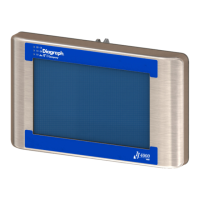
Need help?
Do you have a question about the Diagraph 4000 series and is the answer not in the manual?
Describes warning symbols, including caution and electrical hazards, and ESD protection.
Overview of the home screen, task selection, and print/pause functionality.
Creating, editing messages, and using fields, logos, and text properties.
Formatting and inserting time and date codes into messages.
Configuration of barcodes, product setup, and menu options.
Accessing Apps screen, network settings, user access levels, and codes.
Monitoring I/O status and manual control of relay outputs.
Detailed specifications for HMI, HH, IJ4000, and IV4000 controllers.
System interconnect diagrams, wiring, and board layouts.
Details on CPU, Ink Supply, and Interface boards, including test points.
Physical ports and cable connection diagrams for controllers.
Explains the ijRemote control mechanism for SMART-IDS.
Procedures for file management, backup, and restore.
Steps to configure a PC for communication with controllers.
Configuring and operating multiple SMART-IDSS via ijRemote.
Information regarding system updates and InkJet Demo software.
Lists the supported languages for the user interface and print messages.
Lists of part numbers for systems and service replacement parts.
 General
| Brand | Diagraph |
|---|---|
| Model | 4000 series |
| Category | Controller |
| Language | English |


 To Next Page