EasyManua.ls Logo

DIAL PEC-A-1350-1RC - User Manual

DIAL PEC-A-1350-1RC
13 pages
Print Icon
To Next Page IconTo Next Page
Loading...
USER MANUAL
PEC-A-1350-1RC
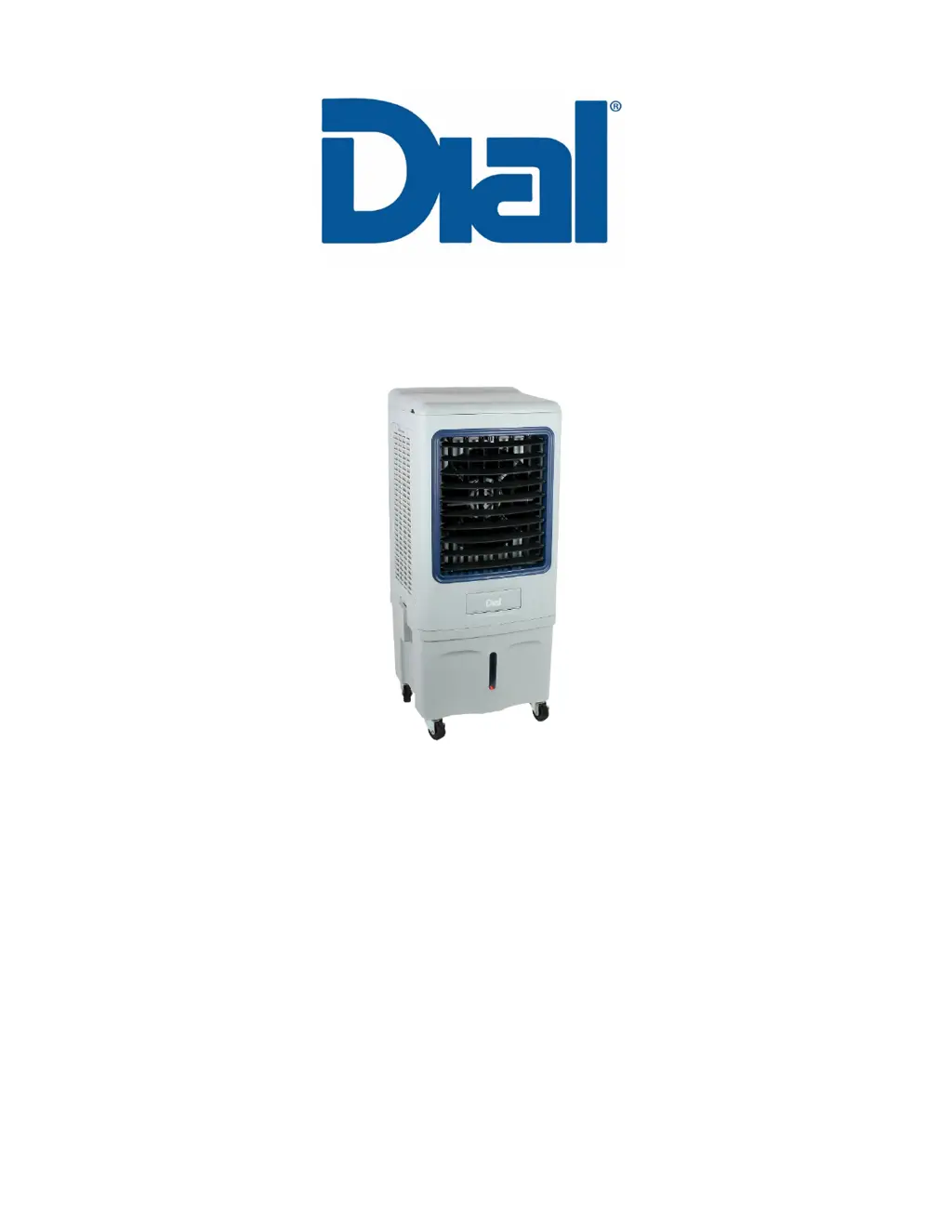
PORTABLE EVAPORATIVE COOLER
Thank you for choosing Dial.
Please read this User Manual before using this Portable Evaporative Cooler.
Retain the manual for future reference.
Attention: If you are experiencing difficulty with your portable evaporative cooler, do not return it to
the place of purchase. Contact Dial Manufacturing for help or disposition.
Dial Manufacturing, Inc.
430 North 47
th
Avenue, Phoenix, AZ 85043
1-800-350-DIAL | customerservice@dialmfg.com

Questions and Answers

  • M
    Marcus SantosAug 2, 2025
    How to fix DIAL PEC-A-1350-1RC that does not turn on?
    • M
      melissawrightAug 2, 2025
      If your DIAL Air Cleaner isn't turning on, ensure the electrical plug on the power cord is properly plugged into the electrical outlet. Then, try touching the “Power” button to turn it “On.”
  • S
    Sheila BlackwellAug 6, 2025
    Why is the fan on my DIAL Air Cleaner not working or running slow?
    • S
      Sandra MooreAug 6, 2025
      If the fan on your DIAL Air Cleaner isn't working or is running slowly, first make sure the unit's power cord is properly plugged into the electrical outlet, and touch the Power button to turn it on. If the issue persists, the motor capacitor may need to be replaced (for select models).
  • A
    Austin BellAug 11, 2025
    What to do if my DIAL PEC-A-1350-1RC Air Cleaner is not blowing cool air?
    • S
      Susan CarterAug 11, 2025
      If your DIAL Air Cleaner is not producing cool air, it could be due to several reasons: * The pump might not be activated. Touch the “Pump” button to turn it on. * The water level might be low. Fill the reservoir with water (at least half full) and then activate the pump. * The pump or pump hose might be clogged. Clear any debris. * The pump itself may be defective and require replacement.
  • J
    Jeffrey MullenAug 15, 2025
    Why is my DIAL PEC-A-1350-1RC leaking water?
    • A
      Alyssa NortonAug 15, 2025
      If your DIAL Air Cleaner is leaking, first, inspect the reservoir for any cracks or damage. Also, check for Media Pad scale build-up. Scaling can disrupt water flow and cause spills. Examine the Water Spreader/Distributor Rail and hose connections for leaks.
  • T
    Tonya WilliamsAug 19, 2025
    How to fix vertical louvre on DIAL PEC-A-1350-1RC Air Cleaner that does not operate?
    • S
      steven20Aug 19, 2025
      If the vertical louvre on your DIAL Air Cleaner isn't working, try touching the “Swing” button to turn it on. Also, check the oscillation motor for proper connection and any defects.
  • A
    Alexander RamirezAug 25, 2025
    What to do if there are issues with the float valve in my DIAL PEC-A-1350-1RC Air Cleaner?
    • J
      Joan JohnsonAug 25, 2025
      To address issues with the float valve on your DIAL Air Cleaner, adjust the valve if the water level is too low or too high. Also, check the float valve for cracks that may cause valve failure and water leakage, and replace the cracked float valve if necessary.
  • K
    Kendra MooreAug 28, 2025
    Why does my DIAL PEC-A-1350-1RC emit an odor?
    • H
      huntchristianAug 28, 2025
      If your DIAL Air Cleaner is emitting an odor, consider that with a new unit, the Rigid Media Pad might have an odor that will dissipate within a week of use. If the odor persists, the Media Pad may have developed mold or bacterial growth, in which case you should replace the Media Pad.

Summary

SAFETY INSTRUCTIONS

APPLICATIONS, FEATURES, SPECIFICATIONS

APPLICATIONS

Identifies suitable areas for spot cooling applications.

FEATURES

Lists key operational and design characteristics.

SPECIFICATIONS

Details technical data including airflow, capacity, and dimensions.

HOW EVAPORATIVE AIR COOLERS WORK

EXTERIOR PARTS OF THE EVAPORATIVE COOLER

UNPACKING AND INSTALLING CASTERS

CONTROL PANEL AND REMOTE CONTROL OPERATIONS

REMOTE CONTROL

OPERATING THE EVAPORATIVE COOLER

FILL THE RESERVOIR

Instructions for filling the water reservoir manually or via hose.

USING ICE PACK (OPTIONAL)

Guidance on using ice packs for enhanced cooling.

PLUG IN THE 3-PIN PLUG INTO A 3-PIN ELECTRICAL OUTLET

Steps for connecting the unit to a power source and basic operation.

MAINTENANCE

CLEANING THE EXTERIOR SURFACE

Instructions for cleaning the unit's outer housing.

CLEANING THE RESERVOIR

Steps for emptying and cleaning the water reservoir.

MAINTAINING RIGID MEDIA PADS

Guidance on cleaning and replacing cooling media pads.

END OF SEASON MAINTENANCE

Procedures for storing the cooler at season's end.

TROUBLESHOOTING

WARRANTY POLICY

DAMAGED SHIPMENT

PRODUCT RETURN

REPLACEMENT PARTS

DIAL PEC-A-1350-1RC Specifications

General IconGeneral
BrandDIAL
ModelPEC-A-1350-1RC
CategoryAir Cleaner
LanguageEnglish

Related product manuals