2 Getting started
2.1 Set up
1.Removing or replacing the back cover
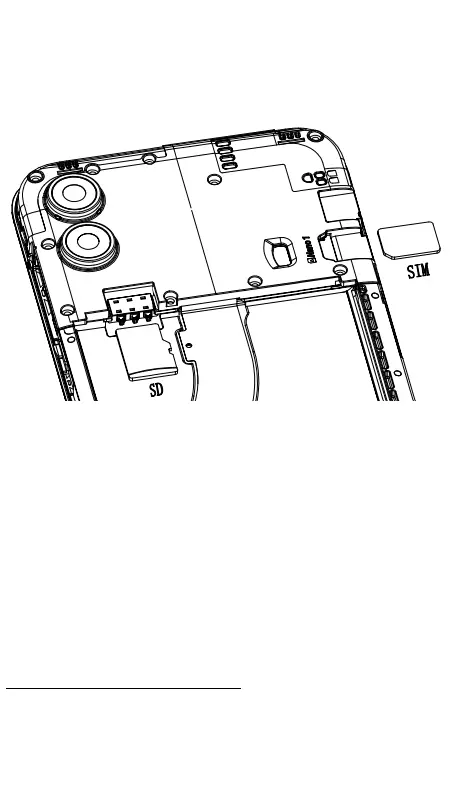
2.Inserting or removing the Nano SIM card
Following the instructions illustrated in above picture, you can
insert the Nano SIM card into the SIM compartment with gold
contacts facing down, or remove the SIM card by pushing the top
of SIM card from opening and pull it out.
This phone supports Nano SIM card only.
Do not attempt to insert a non-Nano SIM card as it may damage
the phone's SIM card slot.
2.2 Powering on the phone
Press and hold the Power key for a few seconds to power on your
phone.
Set up your phone for the first time



 To Next Page