¾ PROGRAM
1. How to start Program?
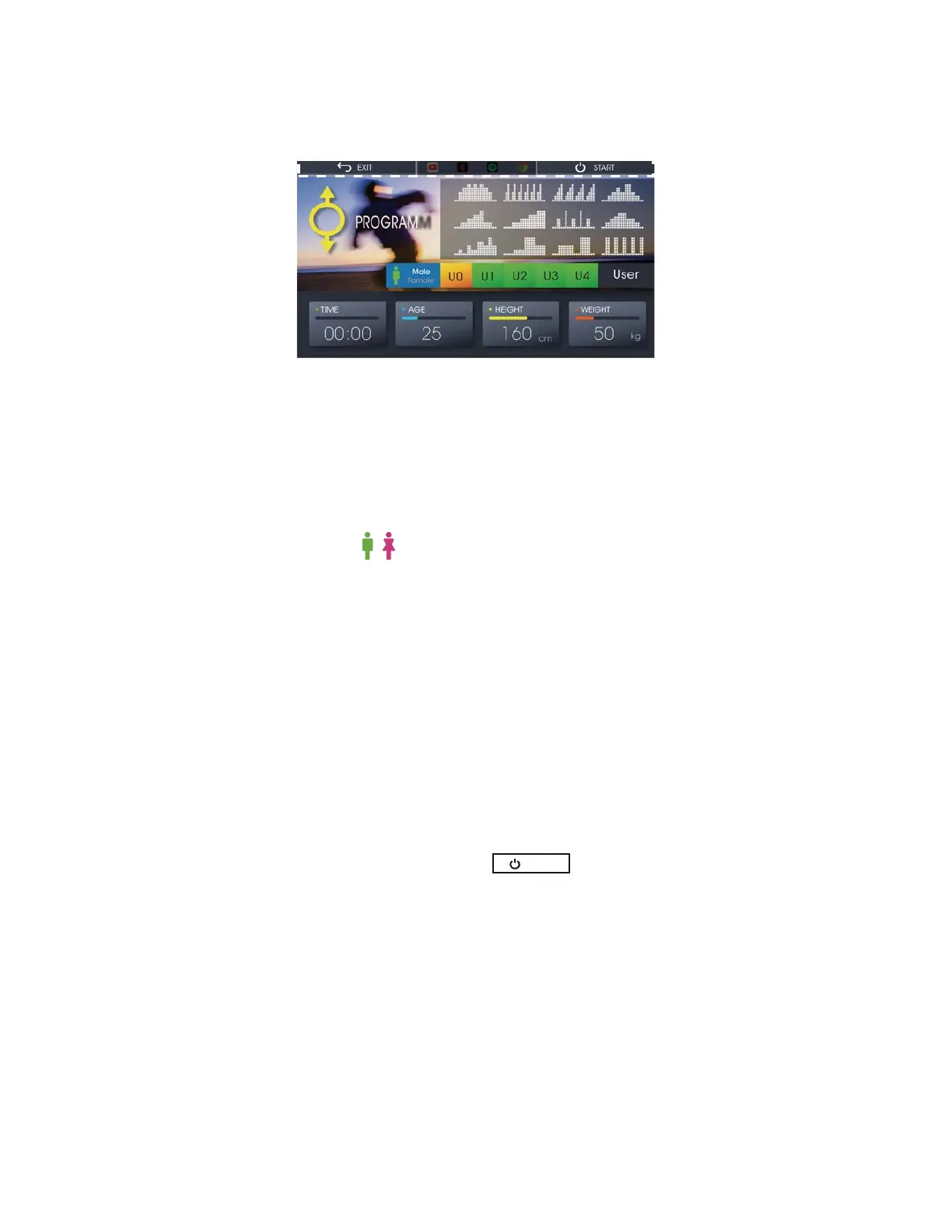
Fig. 16 Program Mode
Set-up Users’ Information
Set-up Training Schedule
Press the schedule you want to train with.
Train along with Entertainment
Please check
the instruction in the “Entertainment with
Training” section.
2. While Using Program Mode
After setting up the information, press to start the training.
Then, check the section of “How to Start Your Training? — Quick Start — While Using
QUICK START”
3. After Using Program Mode
Please check the section of “How to Start Your Training? — Quick Start — After Using
QUICK START”
START
17
Press Program on the Home screen (Fig. 3) to start training with 12 different programs so
that the load will be changed automatically along with time. Please check Figure 16.
There are five users can be chosen, From U0~U4.
Here we take U0 as an example of set-up.
1. Press U0 to choose the user.
2. Press Age, Height, Weight and USER respectively to insert the user’s information.
3. Choose the to select the gender you want.
*** Note that only U1~U4 will be saved after the training. All the information about
U0 will be deleted after your training.



 To Next Page