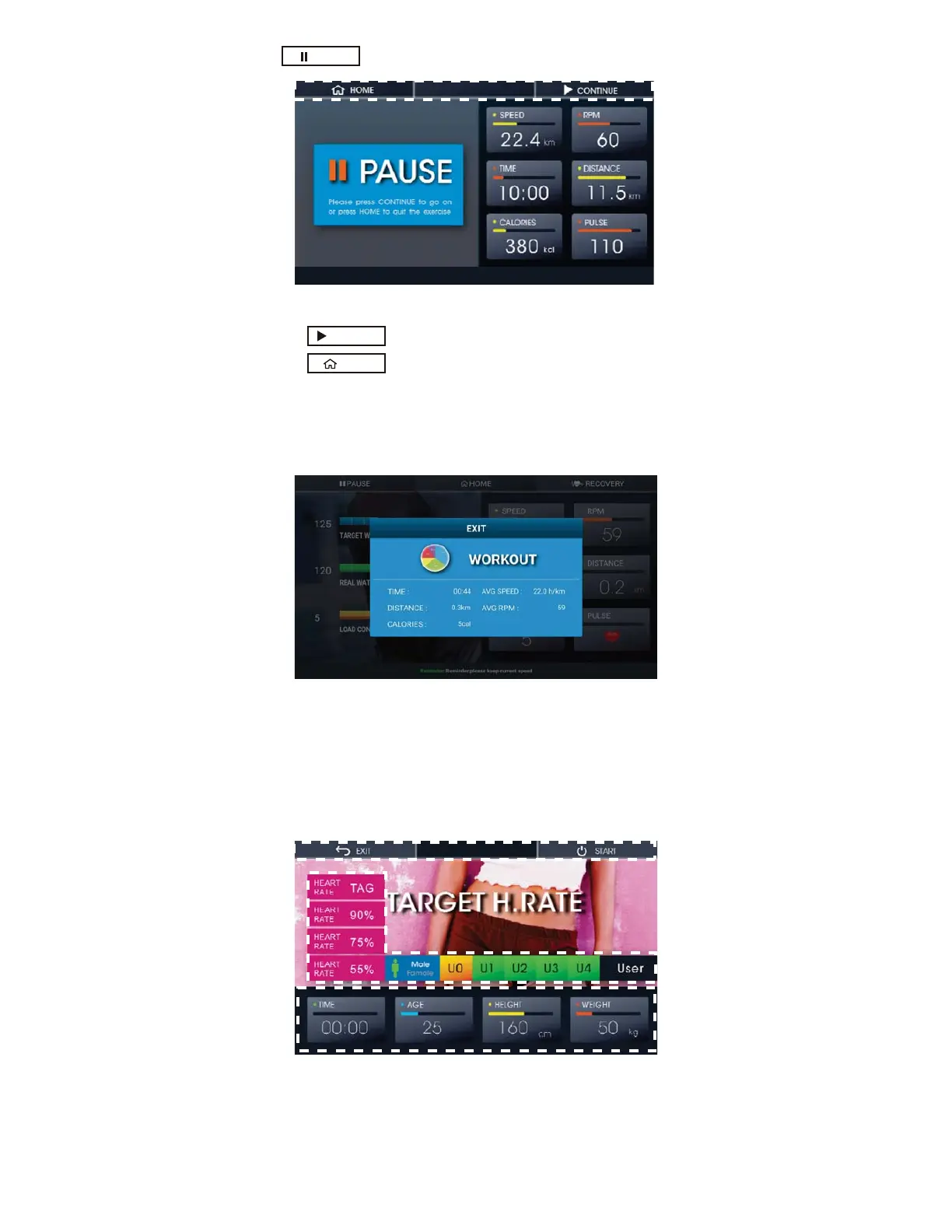
Į Press to pause the training.
Fig.19 Paused Training
Pr
ess to continue (Fig.19)
Press to stop the training and go back to the Home Screen
3. After using WATT CONSTANT
Before going back the Home Screen, it will show out the Workout Data if your training
time is over 30 Seconds. Please check Figure 20
Fig. 20 Workout Data Display (II)
¾ TARGET H. RATE
1. How to start TARGET H. RATE
Press TARGET H. RATE on the Home screen (Fig. 3) to start the training with targeted
Heart Rate. Please check Figure 21.
Fig. 21 TARGET H. RATE
PAUSE
CONTINUE
HOME



 To Next Page