7.
VZ-200 SCREEN CONTROL CODES
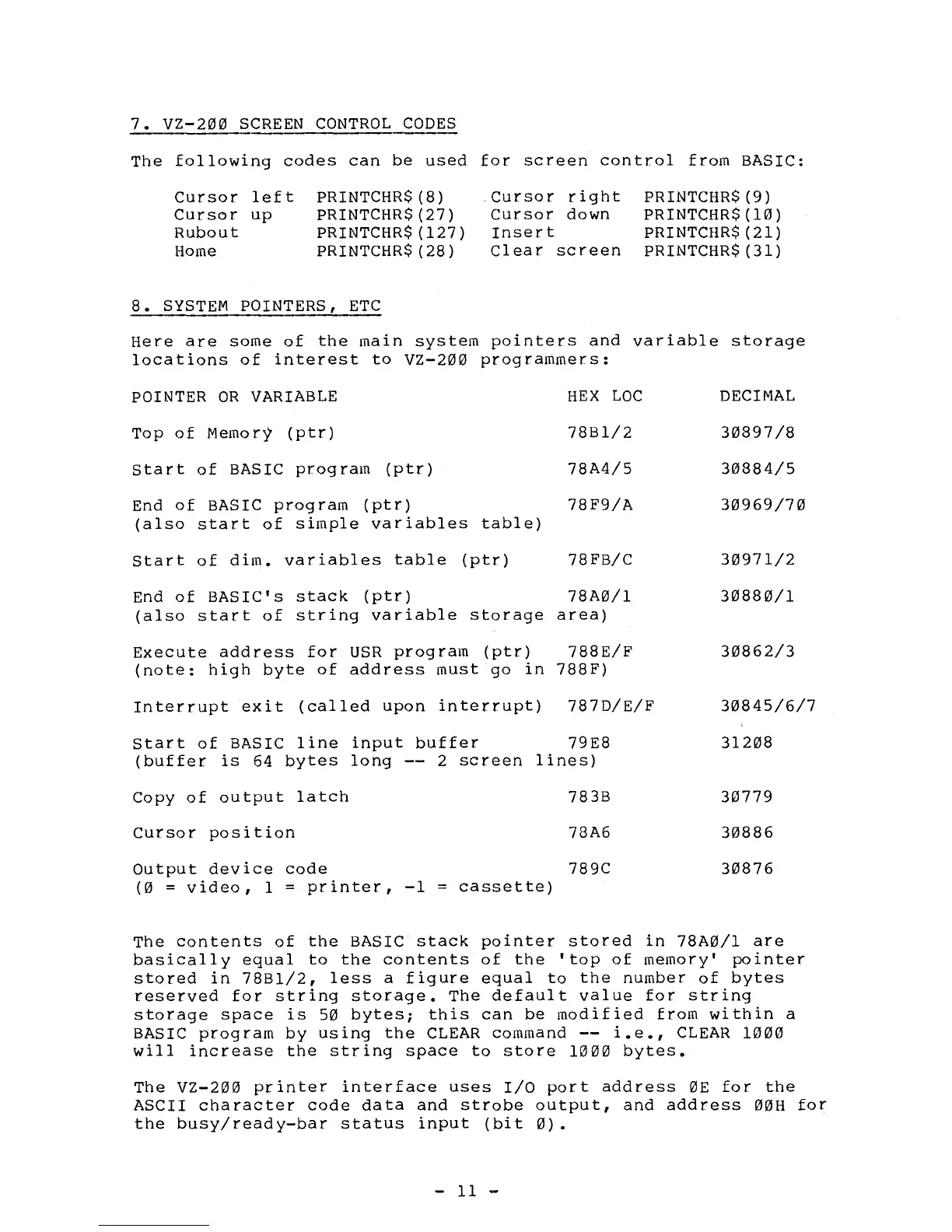
The following codes can be used for screen control from BASIC:
Cursor left PRINTCHR$(8)
Cursor right PRINTCHR$(9)
Cursor up
PRINTCHR$(27)
Cursor down
PRINTCHR$(10)
Rubout
PRINTCHR$(127) Insert
PRINTCHR$(21)
Home
PRINTCHR$(28)
Clear screen PRINTCHR$(31)
8.
SYSTEM POINTERS, ETC
Here are some of the main system pointers and variable storage
locations of interest to VZ-200 programmers:
POINTER OR VARIABLE
Top of Memory (ptr)
Start of BASIC program (ptr)
End of BASIC program (ptr)
(also start of simple variables table)
HEX LOC
78B1/2
78A4/5
78F9/A
DECIMAL
30897/8
30884/5
30969/70
Start of dim. variables table (ptr)
78FB/C
30971/2
End of BASIC's stack (ptr)
78A0/1
30880/1
(also start of string variable storage area)
Execute address for USR program (ptr)
788E/F
30862/3
(note: high byte of address must go in 788F)
Interrupt exit (called upon interrupt) 787D/E/F
30845/6/7
Start of BASIC line input buffer
79E8
(buffer is 64 bytes long -- 2 screen lines)
Copy of output latch
783B
Cursor position
78A6
Output device code
789C
(0 =
video, 1 = printer, —1 = cassette)
31208
30779
30886
30876
The contents of the BASIC stack pointer stored in 78A0/1 are
basically equal to the contents of the 'top of memory' pointer
stored in 78B1/2, less a figure equal to the number of bytes
reserved for string storage. The default value for string
storage space is 50 bytes; this can be modified from within a
BASIC program by using the CLEAR command -- i.e., CLEAR 1000
will increase the string space to store
1000
bytes.
The VZ-200 printer interface uses I/O port address OE for the
ASCII character code data and strobe output, and address
00H
for
the busy/ready—bar status input (bit
0).
— 11 —



 To Next Page