Dickson KT6P Manual V3
Rotate the chart until the correct hour (and day if applicable) on the chart is
referenced to the timing arrow. Once you have set your chart, press the Pen
Pen Pen
Pen
Home
Home Home
Home button to exit Chart Adjust Mode. The unit will take one minute to exit
the Chart Adjust Mode once Pen
PenPen
Pen
Home
HomeHome
Home is pressed. Press Pen
PenPen
Pen
Home
HomeHome
Home to move the
pen(s) back onto the chart.
c. Place the KT6 recorder on a flat vibration-free surface. Be sure it is in a vertical
position and level. For best performance and longevity, the location should be a
clean environment, free from dust and corrosive fumes. Do not exceed
temperature specifications. Wall Mount:
Wall Mount:Wall Mount:
Wall Mount: Keyhole slots are provided on the KT6
recorder for wall mounting.
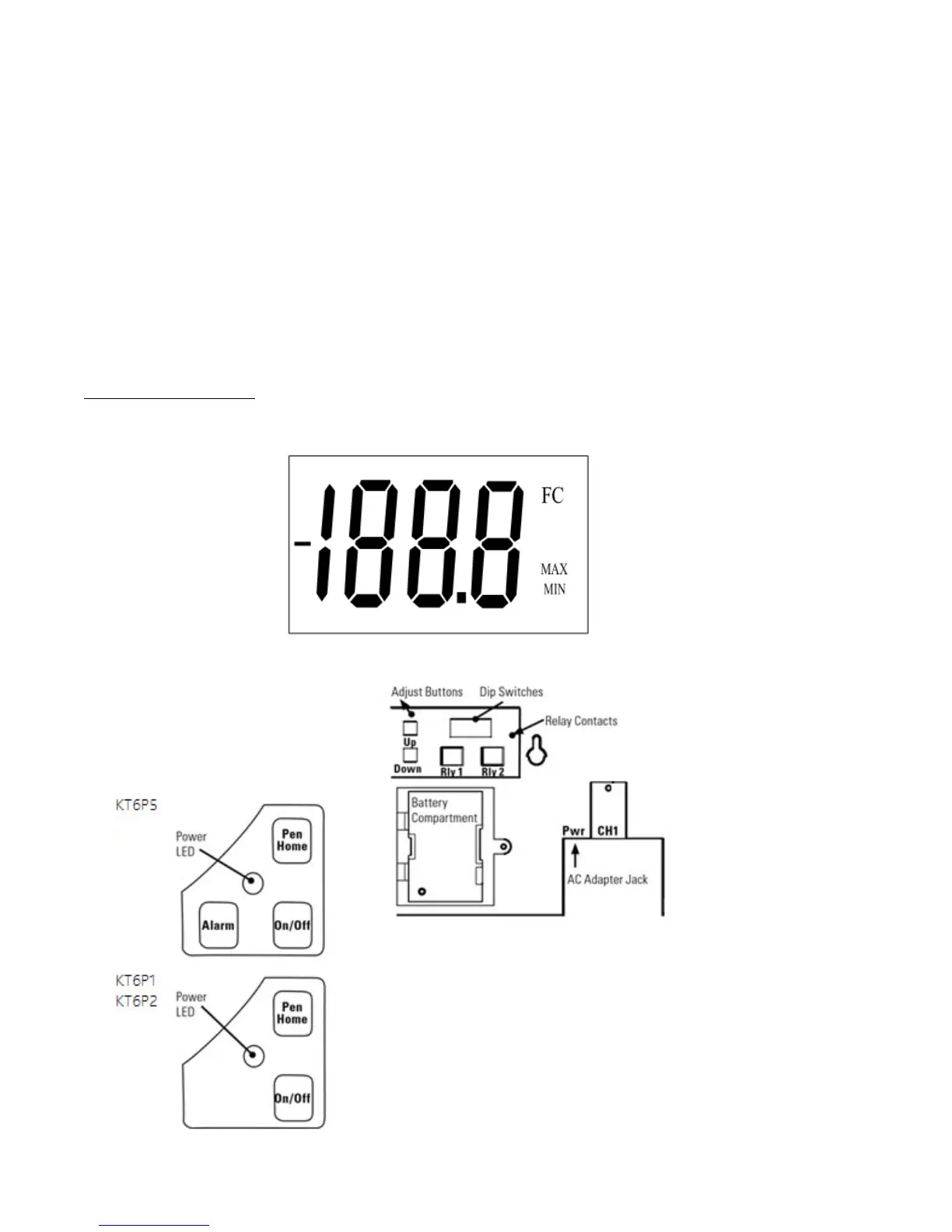
DISPLAY SYMBOLS
DISPLAY SYMBOLS DISPLAY SYMBOLS
DISPLAY SYMBOLS KT6
KT6KT6
KT6
Figure 1
Figure 1Figure 1
Figure 1
Figure 2
Figure 2Figure 2
Figure 2
Figure 3
Figure 3Figure 3
Figure 3



 To Next Page