Need help?
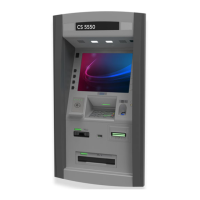
Do you have a question about the DIEBOLD NIXDORF CS 5550 and is the answer not in the manual?
Operator preparedness for maintenance tasks, covering features and selected maintenance options.
Outlines routine tasks for keeping the cash dispenser operational, like card retrieval and paper replenishment.
Describes the manual's structure, including sections on devices, maintenance, and related documentation.
General safety precautions to avoid equipment damage, severe injury, or death during maintenance.
Explains various warning and caution labels on the dispenser and their associated safety concerns.
Details the Class A product warning label for radio interference and regulatory compliance.
Defines key terms used in the document, such as Cash dispenser, Consumer, Device, Fascia, Institution, etc.
Describes how consumers interact with the dispenser for transactions, specifying amounts and receiving media.
Details various consumer access points like fascia lighting, mirrors, card readers, and fingerprint readers.
Explains green indicators on the fascia that guide consumers through transaction sequences.
Introduces devices located within the top chassis, categorized by consumer and operator use.
Lists consumer-facing devices in the top chassis like displays, card readers, receipt printer, and scanners.
Details the motorized card reader's functionality, card retention features, and options like CIM86.
Describes the manually operated dip card reader, its capabilities, and limitations regarding card handling.
Introduces the optional ActiveEdge card reader, its insertion method, and required features.
Explains the receipt printer's function, paper specifications, and how it prints transaction details.
Details the optional fingerprint reader's technology, features like blue LED, and encrypted data.
Describes the enhanced biometric reader, its optical scanning, tamper detection, and encrypted data features.
Explains the 2D barcode scanner's ability to interpret two-dimensional barcodes using CCD and imaging technology.
Details the contactless card reader's features, compatibility with smart cards, and USB interface.
Lists devices used by the operator for maintenance, balancing, and diagnostics, like displays and switches.
Describes the rear operator display for maintenance, balancing, and monitoring, including its status LED colors.
Explains the processor module attached to the consumer display for maintenance and monitoring functions.
Details the optional external keyboard and mouse used by operators for maintenance tasks.
Describes the idle power switch function for controlling power to devices and entering sleep mode.
Explains the maintenance mode switch to remove the dispenser from consumer service for maintenance.
Information about the internal and optional external disk drives used for loading and storing data.
Details the journal printer's role in auditing transactions and its ability to print text and graphics.
Introduces devices located inside the safe, such as dispensers, locks, and sensors.
Explains the dispenser's function in removing, stacking, and presenting bank notes to the consumer.
Describes the divert cassette and bin used to store notes diverted from the dispenser due to issues.
Details the dispense cassettes, their size limitations, and availability with or without locks.
Discusses various safe door lock types, including electronic and mechanical options.
Explains alarm sensors that report events like safe door status, unauthorized entry, or heat sources.
Describes seismic detectors that sense physical blows or torch attacks on the safe.
Details the heat thermostat that senses high temperatures inside the safe and initiates an alarm.
Details touch points on the ActivDispense module, color-coded for easy access during maintenance.
Provides step-by-step instructions for opening the top chassis, including key insertion and door opening.
Explains how to open the safe door, referencing different lock types and the safe handle.
Describes how mechanical combination locks work and their keylocking feature.
Explains electronic locks, their keypads, and variations like single or dual combinations.
Details optional mechanical keylocks like LaGard 2270 and S&G 6880.
Explains the function of the safe handle in releasing the door after unlocking.
Outlines the sequence for opening the safe door with primary and secondary locks.
Step-by-step instructions for opening LaGard 3390EX mechanical combination locks.
Procedure for opening ComboGard 6040 electronic locks, referencing external guides.
Detailed steps for opening Cencon System 2000 GEN 2 electronic locks.
Instructions for opening S&G 6880 keylocks by inserting and turning the key.
Instructions for opening Lagard 2270 keylocks by inserting and turning the key.
Outlines the steps for closing the safe door, including handle rotation and lock procedures.
Step-by-step instructions for closing LaGard 3390EX mechanical combination locks.
Details how to close Cencon GEN 2 electronic locks after safe handle is closed.
Instructions for closing S&G 6880 keylocks by inserting and turning the key.
Instructions for closing Lagard 2270 keylocks by inserting and turning the key.
Introduces procedures for accessing internal modules and components for maintenance.
Details steps for accessing the dispenser, including opening the safe door and extending it.
Explains how to access and connect the maintenance keyboard, mouse, and rear operator display.
Details procedures for accessing and removing the card reader, receipt printer, and processor for maintenance.
 General
| Model | CS 5550 |
|---|---|
| Stacker Capacity | 500 bills |
| Touch Technology | Capacitive |
| Connectivity | Ethernet, USB |
| Power Supply | 100-240V AC, 50/60Hz |
| Supported Currencies | Multiple (configurable) |
| Detection Methods | UV, MG, IR |

 To Next Page