Need help?
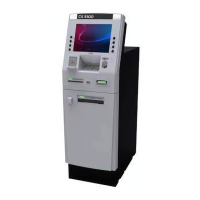
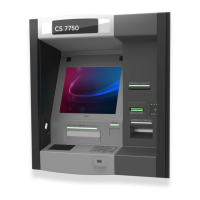
Do you have a question about the DIEBOLD NIXDORF CS 7750 and is the answer not in the manual?
Operator prerequisites for performing maintenance procedures on the terminal.
Overview of routine day-to-day tasks required to keep the terminal operational.
Guide to the structure and content of the operating manual.
Crucial safety guidelines to prevent equipment damage and personal injury.
Information regarding the Class A product's radio interference warning label.
Definitions of key terms used throughout the document.
Table detailing terminal devices and their primary users (Consumer/Operator).
Description of the consumer's interaction points and methods with the terminal.
Detailed descriptions of components located on the terminal's front fascia.
The security nerve center monitoring terminal sensors and alarms.
The primary display for transactions and operator maintenance tasks.
Device for reading data from magnetic, IC, and smart chip cards.
Descriptions of devices housed within the terminal's upper chassis.
Mechanism guiding currency between the dispenser and fascia.
Component for depositing bank notes and checks into cassettes.
Operator interface for maintenance, balancing, and monitoring.
Overview of components installed within the secure safe of the terminal.
Device that dispenses bank notes to the consumer.
Storage units for bills or other dispensable media.
Information on the types of locks available for the terminal's safe door.
Procedure for switching the terminal between operating and maintenance modes.
Steps involved in gaining access to the components within the upper chassis.
Designated areas for safely handling terminal components during maintenance.
Procedure for accessing the operator interface located on the rear door.
Steps to access the ActivCash dispenser unit for maintenance.
Procedure for accessing the ActivMedia cassette unit for servicing.
Steps to access the ActivMedia head unit for maintenance.
Procedure for accessing the card reader and receipt printer for maintenance.
Steps to access the coin dispenser tray for servicing.
Information on accessing the terminal's secure safe.
Procedures for operating electronic combination locks on the safe door.
Procedures for operating the Cencon 2000 lock on the safe door.
Procedures for operating mechanical combination locks on the safe door.
 General
| Brand | DIEBOLD NIXDORF |
|---|---|
| Model | CS 7750 |
| Category | Cash Counter |
| Language | English |

 To Next Page