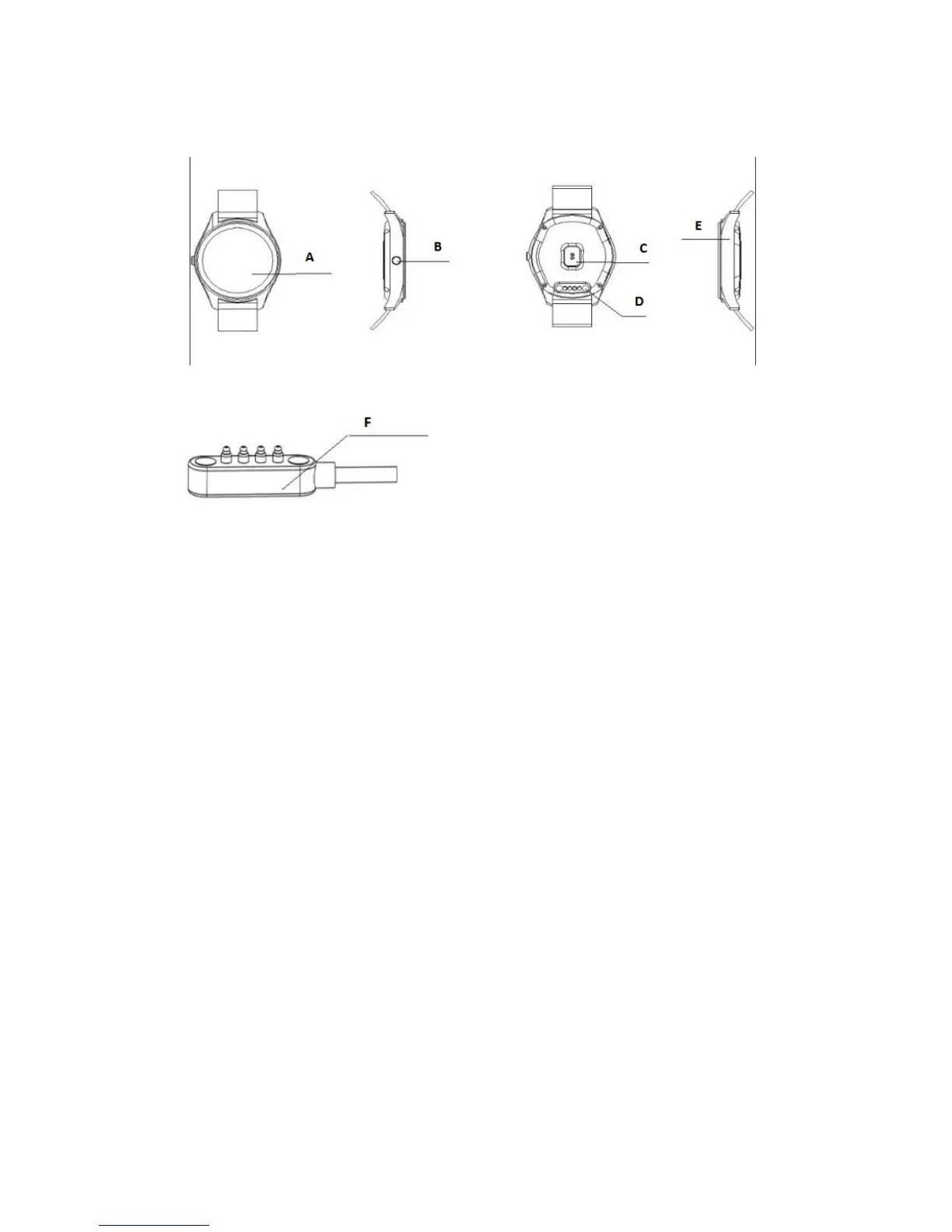
The Watch Describe
A. LCD
B. On & Off / Exit
C. Heart rate
D. Charging port
E. MIC
F. Charging Line
Remarks:
When charging, the charging magnetic head must be aligned with the watch,
keeping fit state. Under normal circumstances
Magnetic head upside down on magnetic live, especially magnetic lines indicate.
Please suck watch aligned end position, The USB end into the charger or computer equipment.
To prevent shorting.
First, The user’s mobile phone Bluetooth notification software installation
Watch the boot, two-dimensional code found inside the wristwatch main
menu, click on the go. With Android 4.0+ smartphones or IOS smart phone. Scan
two-dimensional code using QQ or browser. Download Bluetooth notify APP
software. And install the software in the phone.


 To Next Page