© 2012 JSB TECH Pte Ltd. All rights reserved.
Alternate Zero Screen Display and Button Function
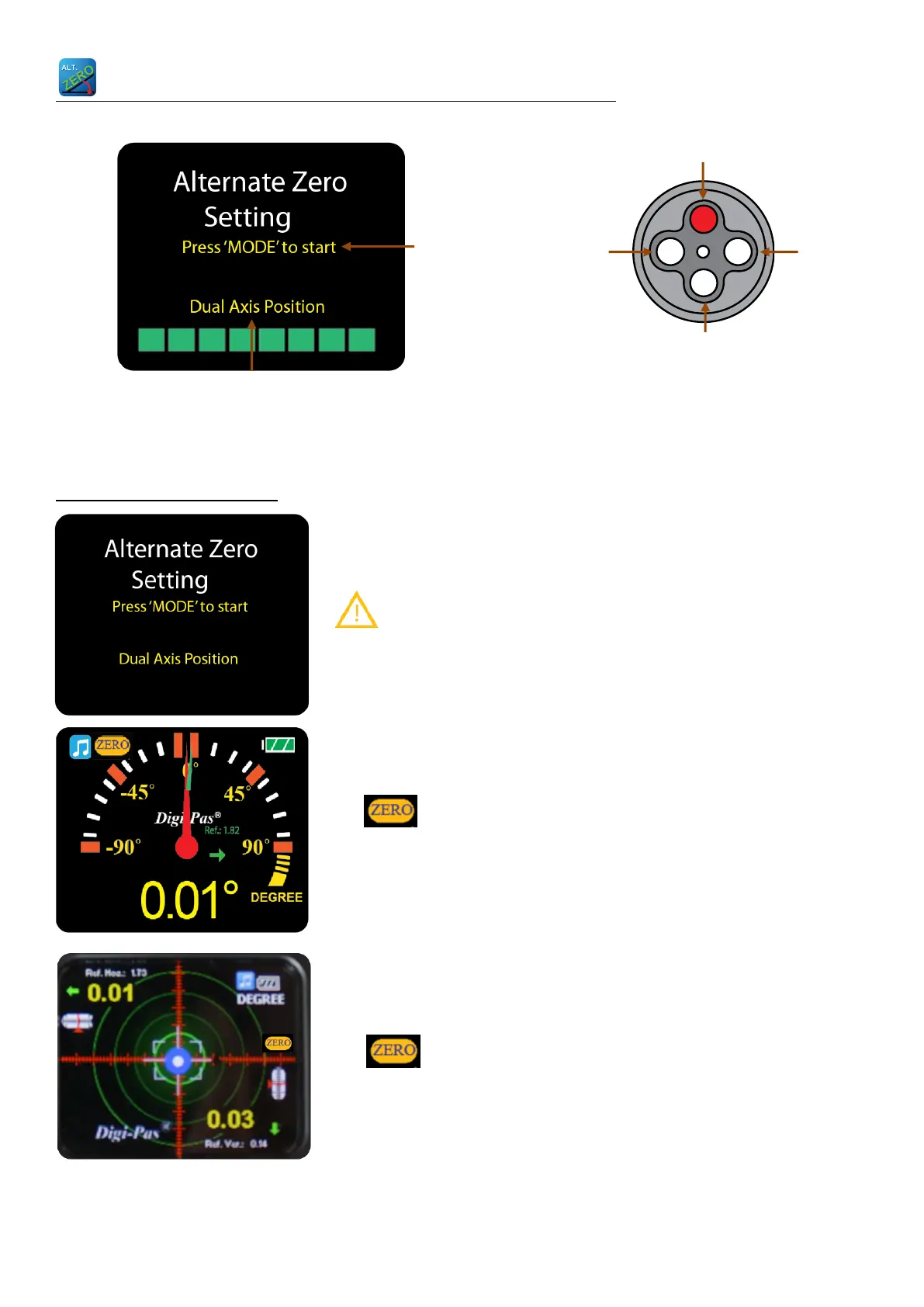
Alternate Zero Setting
Place the digital level on the surface to be measured. Press
MODE button to set the angle to 0⁰ as a reference.
Please ensure the contact surfaces of the device and measuring
plane are clean and free from dust particles.
Note: The device is able to auto detect its position is single
axis position or 2-axis.
Single Axis Position
The logo is shown to indicate that the device is in
Alternate Zero mode. A reference line is displayed to indicate
the angle.
Dual Axis Position
The logo is shown to indicate the device is in the
Alternate Zero mode. A reference crosshair is displayed to
indicate the real angle.
SINGLE OR Dual-AXIS INDICATOR



 To Next Page