TN 418 Page 3
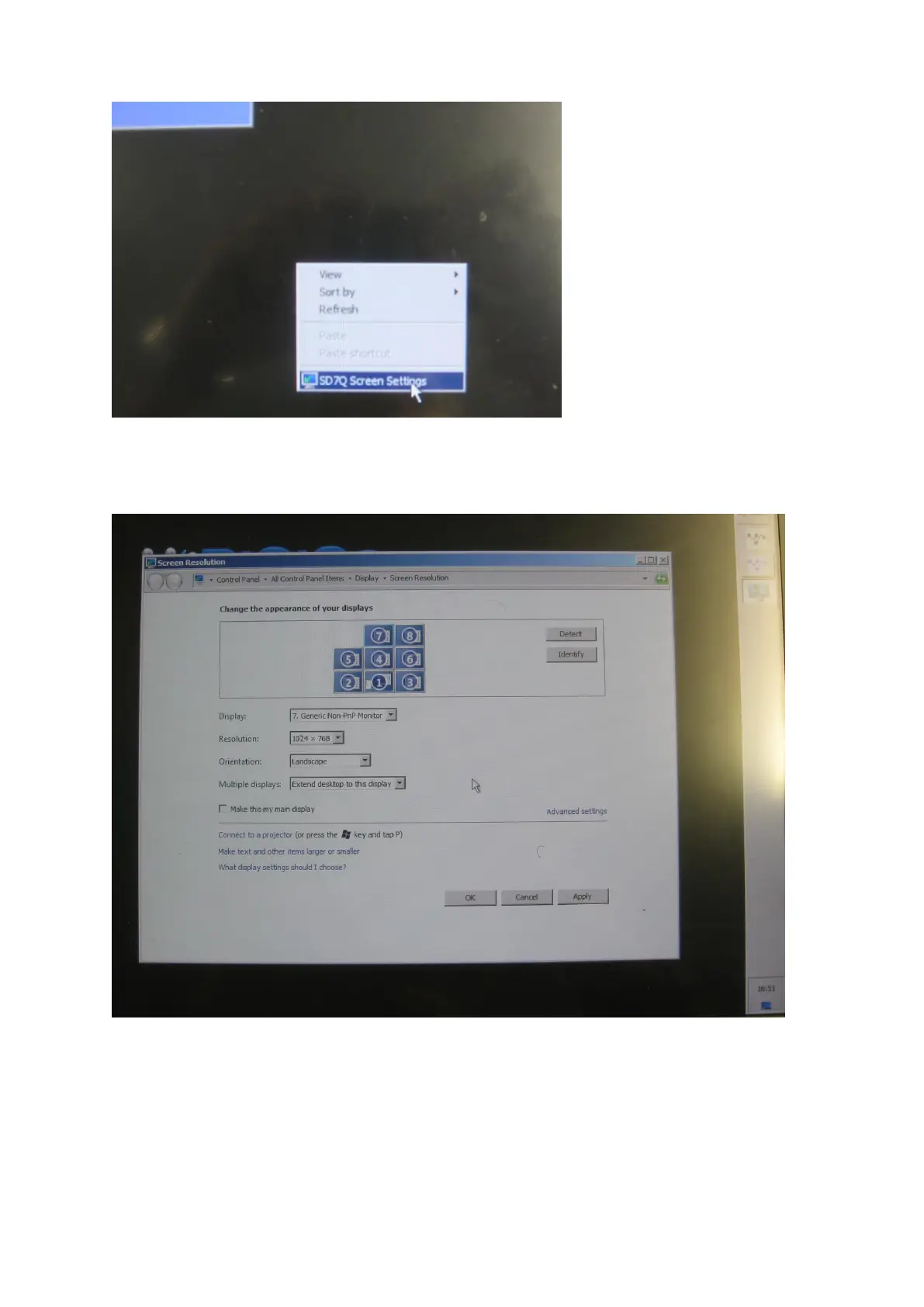
Right click on the desktop, see desktop menu open and click on SD7Q Screen Settings
See the screen setup page open.
Ensure the screen layout is as follows.
If the layout of screen is not as shown this must be set.
With a new screen it may default to a horizontal spread.
Use the mouse in the conventional manner to click and drag the screens so they match above.
Note how the edges align.
The system will detect the appropriate settings for the overview screen in use (Plug & Play
operation).
When the screens are correctly set up, click on apply and OK to close the window.



 To Next Page