Need help?
Do you have a question about the digico SD7 and is the answer not in the manual?
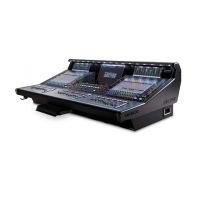
Describes the physical layout of the console's worksurface sections.
Explains how channels are organized into layers and banks on the console.
Details how to operate the console using touchscreens and physical controls.
Explains how to select and configure a specific channel on the console.
Details the different types of channels available on the console.
Explains the various systems of connection for the console and racks.
Guides on defining channel types and quantities for a new session.
 General
| Type | Digital Mixing Console |
|---|---|
| Buses | 128 Buses |
| EQ | 4-band parametric EQ |
| Control Surface | Motorized faders, OLED scribble strips |
| Sampling Rate | 96 kHz |
| Word Clock | Supported |
| Dynamics | Compressor, gate, and ducker on every input channel and bus |
| Effects | Multiple built-in effects processors |
| I/O | Multiple digital and analog I/O options |

 To Next Page