TN198 Page 5 of 11
TN198.doc\
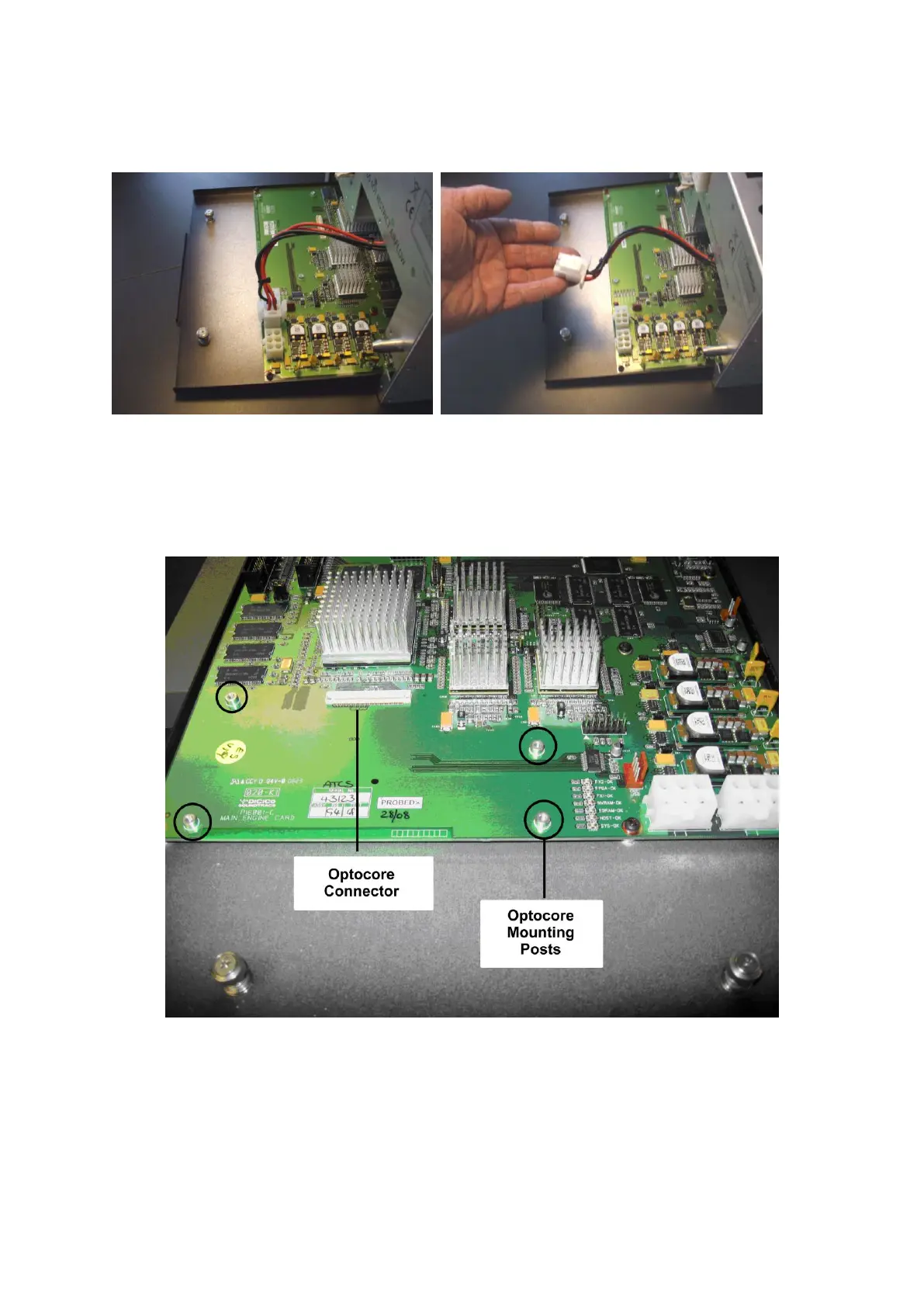
Slide out engine PCB taking care of power connector. Unplug this connector when accessible.
The Engine Board should now slide completely out from the Chassis.
Place the Engine Tray on a flat surface with the BNC connectors furthest away from you.
The Optocore Board installs onto the Engine Board on the edge closest to you, next to the Power
connectors.
Ensure the connector is clean of dust and fit optical card :
Lay the Optocore Board in place, and once you are sure the connector alignment is correct, apply
pressure to the Optocore Board. You should apply the pressure to the area above the mating
connector. You will have to apply a reasonable amount of pressure, and the board will click into
place. Apply the pressure slowly and firmly.
Once the Optocore card is seated, secure it with the four screws provided, using the shakeproof
washers included with the kit.



 To Next Page