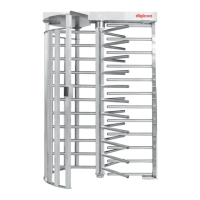
Torniquete
Tx1500
7.3 Configuration of control board – Switch Ds1
The switch (or dipswitch) DS1 allows programming the following actions:
-passage direction
-Maximum time for turns
-NO inputs (relay or pushbutton contact normally open and without input voltage),
enabling passage in face of these signals; or NC inputs (relay or pushbutton contact
usually closed and with input voltage), enabling passage in the absence of these
signals.
-enabling of a signal for a sound alarm if the access control remains at mid turn for more
than 5 seconds.
To program DS1, put each pin in the desired position, according to the table below.
Cleared in both directions - - - OFF OFF - - -
Blocked from left to right - - - ON OFF - - -
Blocked form right to left - - - OFF ON - - -
Blocked in both directions - - -
- - - - - -
NC inputs - OFF - - - - - -
Enables sound signal
- -
Disables sound signal OFF - - - -
- -
Enables sound signal in mid-turn - - - - -
- -
Disables sound signal in mid-turn - - - - - OFF - -
Wait until first turn - - - - - -
Wait for 5 seconds - - - - - - OFF ON
Wait for 10 seconds - - - - - - ON OFF
Wait for 15 seconds - - - - - - OFF OFF
Habilitation per border* - -
- - - - -
Habilitation per level** - - ON - - - - -
* “Habilitation per border” means that Tx1500 will be enabled by a pulse at the entry border
(NC inputs) or exit border (NO inputs).
** “Habilitation per level” means that Tx1500 will remain free as long as there is an input
signal.
7.4. Examples of configurations
1 - To receive a relay pulse (NO contact), clear the turning and wait to turn for 10 seconds:
Configuration - ON OFF ON ON - ON OFF
2 - To leave the clockwise direction always cleared and, when the HAB2 (anti-clockwise)
clearance signal is received, clear passage for undetermined period:
Configuration - ON OFF OFF ON - ON ON
3 - To clear the turning while the relay has the contact closed and, as soon as the relay contact
is open, remove clearance:
Configuration - ON ON ON ON - ON ON


 To Next Page