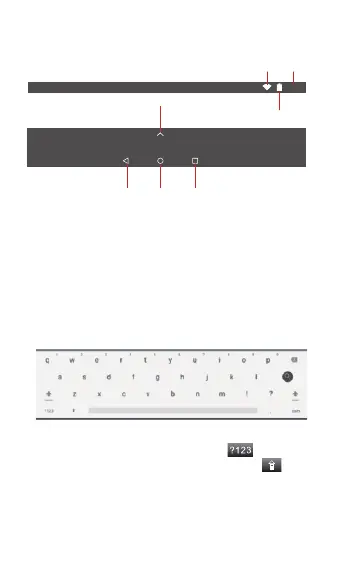
1.6 Homepage Information Bar
1.7 Text Input
When use the tablet, you can use the virtual keyboard to
input text, number, symbols directly by touching screen.
After selecting the Android input method, the default
keyboard show as below:
To switch the numbers and letters, press
To switch the capital and lowercase letter, press
10:03
TimeWiFi
Battery power
Back
Home
All app
Recent app
3


 To Next Page