1.8 Reset
Use a thin object(like the end of a paper clip) to press the
reset button in the hole , then your device will shut down, you
need to press the power button to turn on the unit.
1.9 USB connection
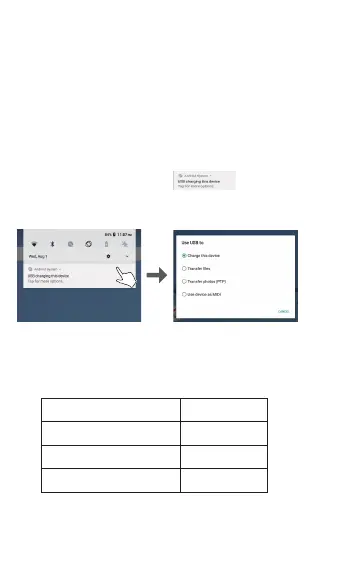
Use the USB cable to connect the tablet with PC, Click the
drop down bar and you will see , click this sign
to connect your device.
Turn off USB storage to disconnect your device with PC.
1.10 Accessories
Power Adapter
USB Cable
1
1
Quick Setup Guide
Warranty Card
1
1
4


 To Next Page