Wireless IP camera User Manual
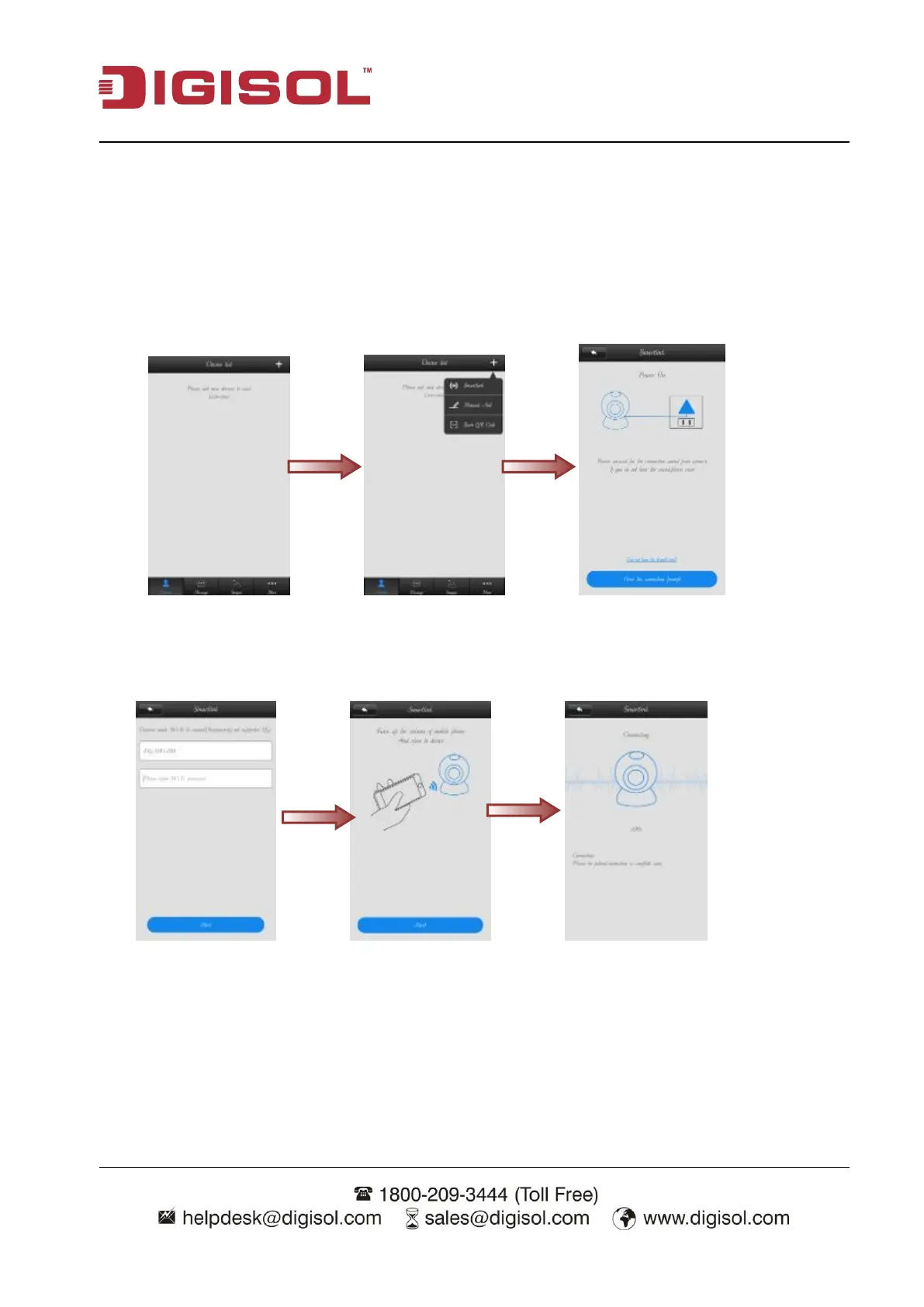
After login, it will display the app interface as shown below. Once the camera boot up, it prompt’s a
voice message to start configuration.
Click on “+” sign>>go to Smartlink>>Click on ‘Hear the connection prompt’, button.
The following screen will be displayed. It will prompt for connected Wi-Fi network password.
Enter the Wi-Fi password & click on Next. It will start syncing IP camera with wireless router/ AP.
You can hear the sound on your mobile while establishing the Wi-Fi connectivity. (It takes 2 min to
sync camera wirelessly).



 To Next Page