31
Transferring Images to your PC
Transfer Images Using PhoTags Express
Auto Detect- gets photos automatically
Set camera to MSDC mode using the
Normal/Playback button.
1. Plug one end of the USB cable into the USB
slot on your camera.
2. Plug the other end of the USB cable into a USB
port on your computer.
3. Make sure that your camera is connected and
turned ON.
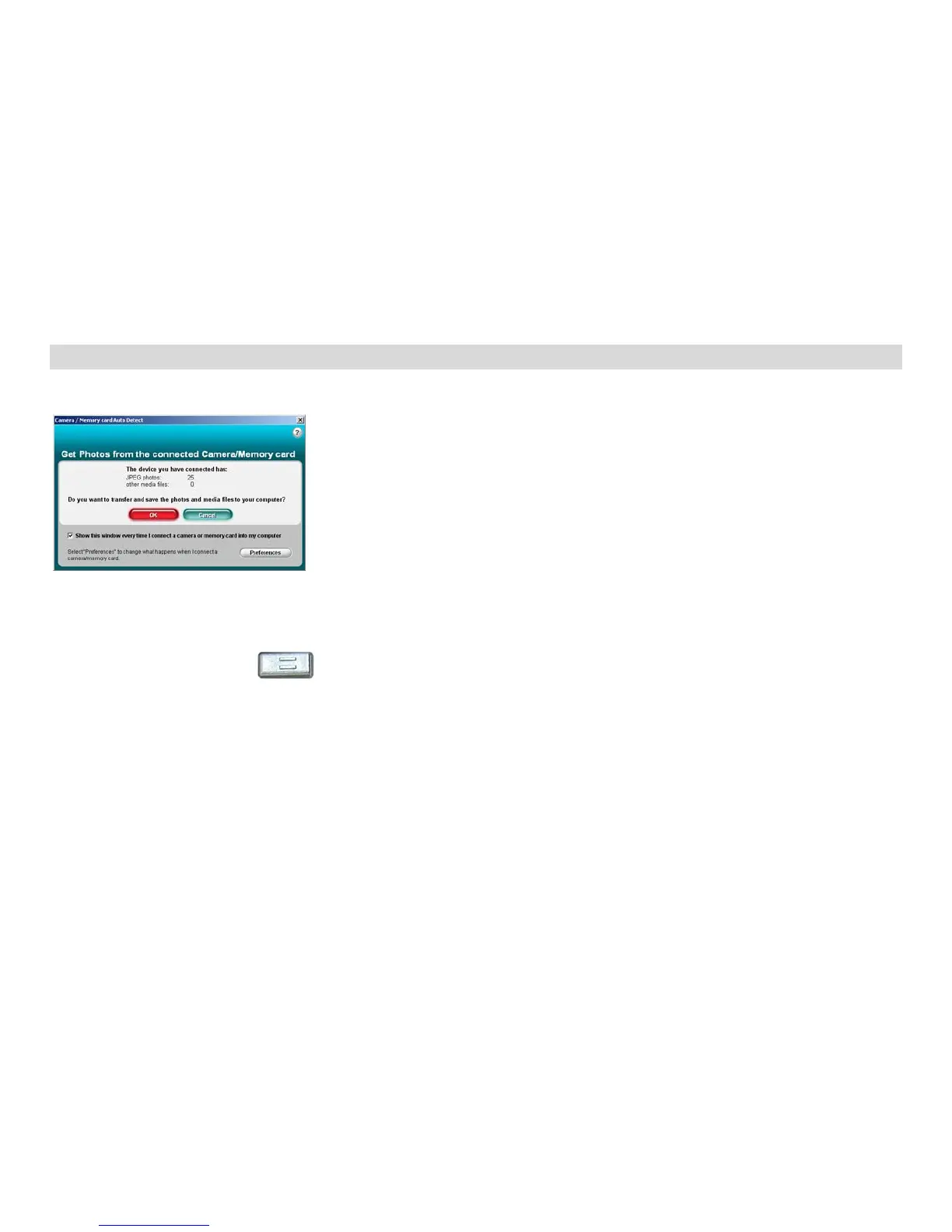
4. The “Camera/Memory card auto detect”
window will automatically appear.
5. The number of pictures or other media (videos
included) on the camera or memory card will
appear on the window.
6. Click “OK” if you want to transfer the photos
and save them to your computer. The “PhoTags
Express” application you installed will open in the
“Get photos” wizard mode and will ask you to
select the photos you want to transfer. Select your
photos and click “Next” to continue.


 To Next Page