
 To Next Page
W
williamsalanNov 23, 2025
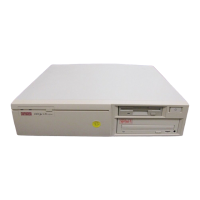
What to do if the Digital Equipment DECpc LPv 425sx computer does not boot from an internal SCSI hard disk drive?
- BBetty BrownNov 23, 2025
If your Digital Equipment Desktop fails to boot from an internal SCSI hard disk drive, several factors could be the cause. Ensure that the operating system software is installed on the SCSI hard disk drive. If the requested partition does not exist, partition the SCSI hard disk drive and then reload the operating software. Verify that the SCSI hard disk drive jumpers are correctly set according to the supplied SCSI hard disk drive kit installation instructions. Resolve any SCSI ID conflicts by referring to the kit instructions. Remove terminating resistors as detailed in the kit instructions. To configure the computer for SCSI operation, run the BIOS Setup utility, setting Hard Disk 1/Hard Disk 2 to "Not Installed" and IDE Hard Disk Drives to "Disabled" to disable the onboard IDE interface...
 General