WATERMARK Verification on AVI File
Convert the backup file to an AVI file to play the file in ordinary media players. The third-party
media player must support AVI files.
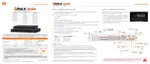
1. Playback the SSF file in Single CH mode and click [PAUSE].
2. Click [AVI Convert].
3. Define the start and end times.
When the AVI file is played back in the Backup Viewer, verify whether the file has been altered
by pressing the [Watermark] button ( ). If the file has been altered, a popup message will
appear.
No alteration was found AVI video clip has been altered



 To Next Page
 Loading...