User’s Manual
29
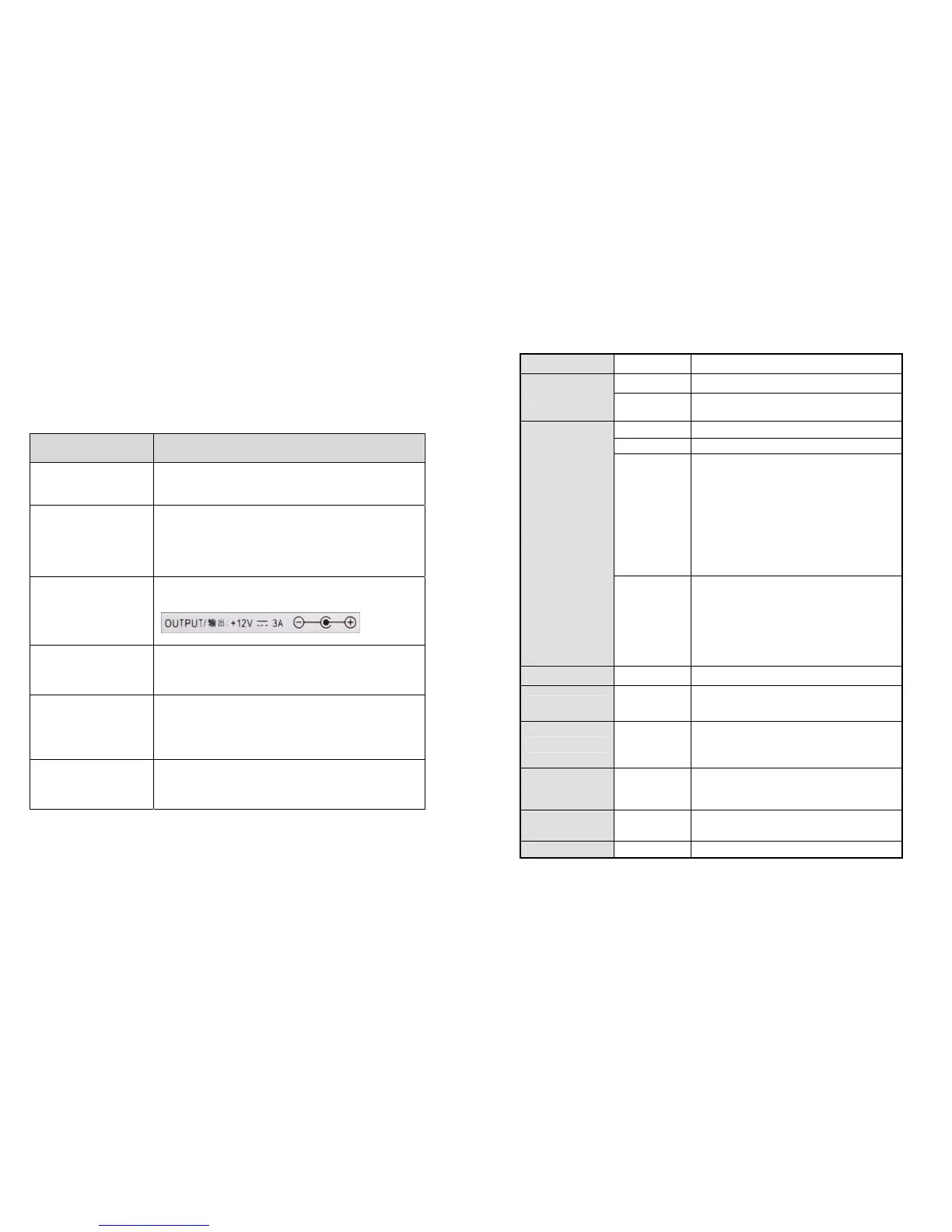
Troubleshooting Guide for Splitters
- Please check the following before contacting the Customer Center for service.
Status: When the TV screen does not show anything or is blinking
Check List Measures
Is the product connected to
the HDMI Cable properly?
1) Connect the product to the cable correctly.
2) Replace the cable and connect the new one.
Is the LED for “POWER,
SYNC, DVI/HDMI, INPUT,
EE LED” on the front blinking
or off?
1) Check if the power adapter is connected properly.
2) Press the “Power” button on the front.
3) Check if the AC power is connected properly.
4) Replace the adapter.
Is the adapter enclosed with
the product supplied by
DIGITALZONE?
1) Use an adapter supplied by DIGITALZONE only.
Are the video source
equipments (Generator and
Blu-Ray) turned on?
1) Directly connect the video source equipments (Generator and
Blu-Ray) to the TV to see if they work normally.
Has the Input number been
selected properly?
1) Select “Input1” for one video source.
2) If “Input2” is selected, press the “Input2” button on the front.
Are you displaying the Full
HD TV and the HD TV
together?
1) Decrease and set the same resolution from the EDID menu.
For example, change the resolution output to 1080i.
※
When additionally connecting or removing a TV to or from a splitter, the TV screen may blink for a few
seconds and then become normal due to the initialization of EDID. (This is not an error but a normal
operation.)
NEXD HDMI Splitter
3
Specification
Input 4EA HDMI Type A
Output
16EA Default (Model: HDMI 416L)
12EA, 8EA, 4EA Optional (Model: HDMI 412L,408L,404L)
User Interface
Remote Control IR
RS232 Remote PC/ Device
LED
POWER : On / Off
SYNC : Indication of valid input signal
HDMI: Input signal is HDMI or DVI
HDCP: HDCP being used
EE : EDID Emulation being used.
Buttons
Touch sensors
POWER
Selectable Input 1 ~ input 4
Selectable function F1~F8
Power +12V/ 3A DC Jack
Firmware Upgrade Yes Mini-USB B type connector
HDMI Version 1.3
Deep Color
Higher refresh rate (~120hz)
Colorimetry RGB / YCbCr / xvYCC
CEC Yes Auto switching
Fast Switching Supporting faster input selection
EDID Emulation EDID Emulation mode supporting



 To Next Page