2. Recording:
In any state, switch the “REC” from “STOP” to “REC”
to start recording.
Slide the “REC” to “STOP”. It will save the recording
file automatically.
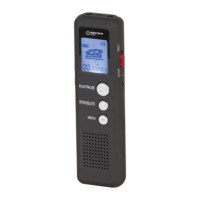
To pause recording, press the " " Play/Pause
button and the recording will pause. Short press “
”
again to resume recording from pause state.
3. Playback:
Play Recorded File: Press “M” Menu button to enter
into “DVR” mode. Press “ ” Play/Pause to play the
current recorded file.
Play Music File: Press “M” Menu button to enter
into “Music” mode. Press “ ” Play/Pause button to
play the current music file.
Please Note: Each directory can store up to 200
recording files. If it displays “Disc Full”, the directory
has stored 200 recording files. Please delete some
files to create space.


 To Next Page