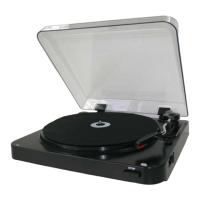
LOCATION OF CONTROLS
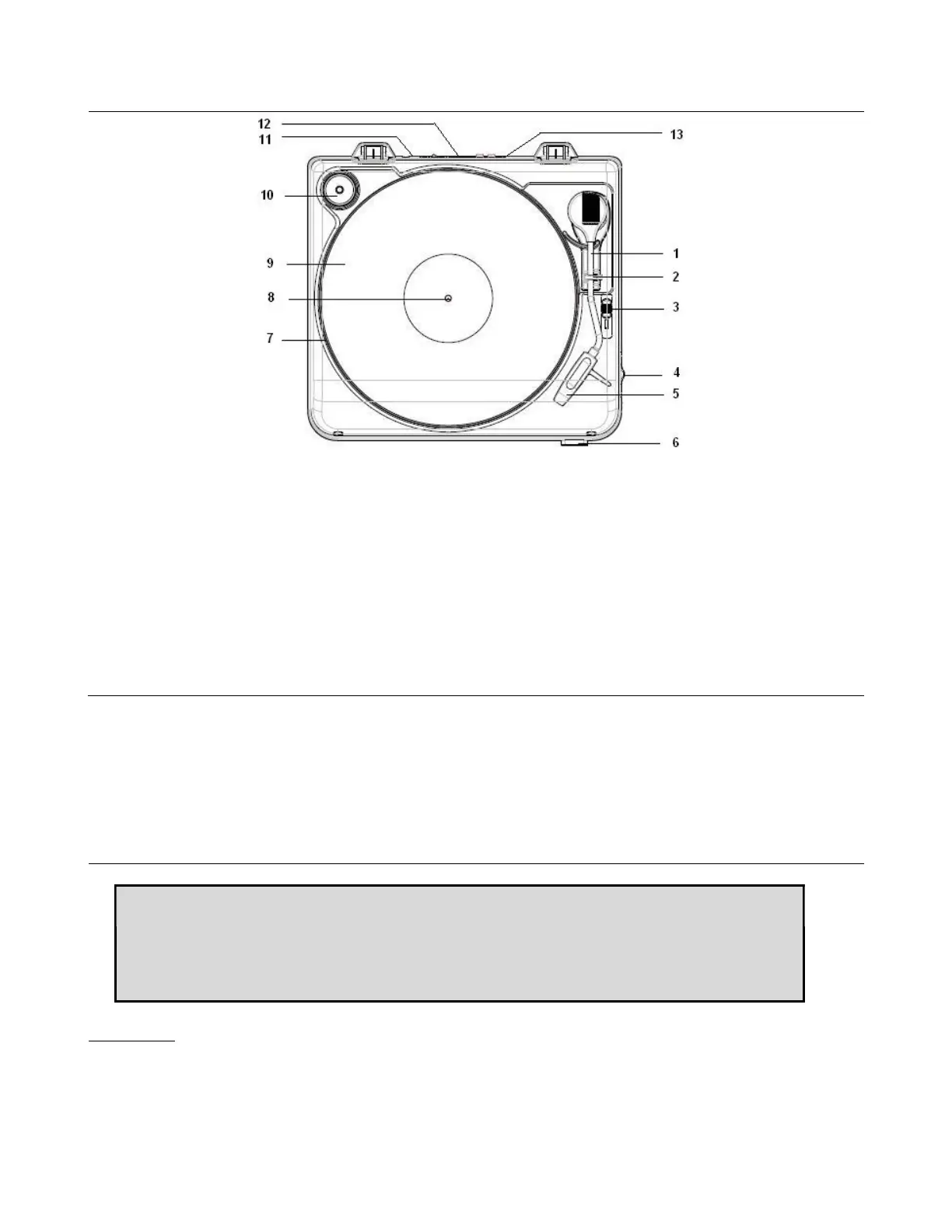
1. Tone Arm
2. Tone Arm Holder
3. Cue-lever (use this lever to lift the tone arm)
4. 33/45 RPM Selector
5. Stylus with protector cover
6. Stop Button
7. Turntable
8. Spindle
9. Felt Pad
10. 45 RPM Adaptor
11. AC Power Cord
12. Line out sockets
13. USB port (for PC connection)
POWER SOURCE
This Unit is designed to operate on normal 240V ~ 50Hz household power source. Do not attempt to operate the
system using other power sources. This may result in damage to the unit and void your warranty.
Mains plug should be regularly checked. If it is found damaged, do not turn on the unit and immediately seek
advice from a qualified service technician. Any malfunction due to electrostatic discharge (ESD), reset the unit by
unplugging AC Cord from the outlet; wait for few minutes before reconnect
TURNTABLE OPERATION
Note: 1. Do not resist or turn the platter manually.
2. Moving or jarring the turntable without securing the Tone Arm in its Holder
could result in damage to the Tone Arm.
3. Replace the protective cap on the stylus when not in use.
Preparation
Open the Record Player Cover & cross-check felt pad (9) properly placed with spindle (8) poked through.
Connect this device to your Hifi system (via line in sockets 12) for audio output or to your computer (via USB
port 13) for encoding / audio output.
Release the Tone Arm Holder (2), and remove the stylus protector (5).
2


 To Next Page