14
Repeat Play:
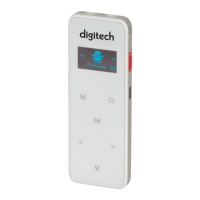
A-B Replay: When you are playing a recorded file; press the "M" Menu button and
the right "> or <" left arrow buttons to select “A-B replay”.
Press the “M” Menu button return to the playing interface, "A" will flash, Press the
right “>” arrow to set the repeat starting point, ”B” will now flash,
Press the right “>” arrow button again to set the end point. Now the LCD screen will
display “
”.T file will be played repeating between A and B.
Cancel A-B Repeat:
Press the “
” Play/Pause button to cancel the repeat and playing will pause.


 To Next Page