19
stop at your required radio station.
Auto Search:
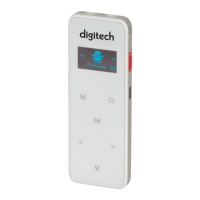
In the FM state; press the "M" Menu Button,”<” left and “>” right arrow buttons to
select "Auto Search", Press the “M” Menu button to confirm and press the “>” “<” left
and right arrow buttons to select “YES” or “NO”.,
Please Note: The channel will become saved automatically and the radio station will
be saved in the channel list according to the order of frequencies.
Save Radio Station:
Press the “M” Menu button to select “Save Channel”, make the selection with the “>”
and “<” left and right arrow buttons to select “Save channel”


 To Next Page