EasyManua.ls Logo

Digitus DN-95108 - User Manual

Digitus DN-95108
7 pages
Print Icon
To Next Page IconTo Next Page
Loading...
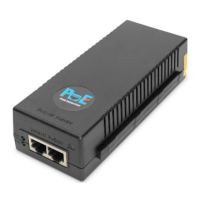
10 Gigabit Ethernet PoE+
Injector, 802.3at, 30 W
User Manual
DN-95108

Questions and Answers

  • A
    Alice CraneAug 10, 2025
    What to do if the PD does not operate with Digitus DN-95108?
    • J
      Joseph CrossAug 10, 2025
      If your PD (Powered Device) isn't working with the Digitus Adapter, first ensure the PoE Injector recognizes it. Confirm the PD is designed for PoE. Use a standard Category 5/5e/6 straight-wired cable with four pairs. If you're using an external power splitter, try replacing it. Make sure the input Ethernet cable is in the DATA IN port and the PD is connected to the Data & Power port. Try connecting the PD to a different PoE Injector to rule out a faulty port or RJ45 connection. Finally, check for shorts in the twisted pair cables or RJ45 connectors.
  • D
    Dwayne WilliamsAug 20, 2025
    What to do if the end device operates, but there is no data link with Digitus DN-95108?
    • T
      Tracy GrahamAug 21, 2025
      If your end device is operating but there's no data link with your Digitus Adapter, check that the port indicator on the front panel is continuously lit. If you're using an external power splitter, try replacing it. Verify you're using standard UTP/FTP Category 5 straight cabling with all four pairs, and ensure the Ethernet cable is less than 100 meters. As a test, try reconnecting the PD to a different PoE Injector to check for a faulty port or RJ45 connection.
  • E
    Erin RodriguezAug 29, 2025
    How to troubleshoot PoE Injector if it does not power up in Digitus Adapter?
    • C
      Christopher BauerAug 29, 2025
      If your Digitus Adapter's PoE Injector isn't powering up, make sure you're using a reliable power cord and that the voltage at the power inlet is between 100 and 240 VAC. You can also try removing and reapplying power to the device, then check the indicators during the power-up sequence.

Digitus DN-95108 Specifications

General IconGeneral
ModelDN-95108
CategoryAdapter
TypeUSB to Ethernet
InterfaceUSB 2.0
Ethernet Standard10/100 Mbps
Data Transfer RateUp to 100 Mbps
ShieldedYes
CompatibilityWindows, Mac OS, Linux
ColorBlack
Connector(s)RJ45

Related product manuals