
EasyManua.ls Logo

Digitus DS-43309 - User Manual

Digitus DS-43309
9 pages
Print Icon
To Next Page IconTo Next Page
Loading...
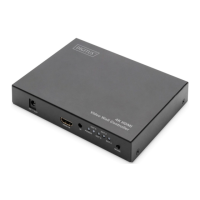
4K HDMI VIDEO
WALL CONTROLLER, 2 x 2
User Manual
DS-43309

Questions and Answers

  • L
    Lacey BuckleyAug 10, 2025
    What to do if there is no picture and sound after re-plugging HDMI or power cables on Digitus DS-43309 Controller?
    • M
      maldonadoelizabethAug 11, 2025
      If you experience a loss of picture and sound after reconnecting the HDMI or power cables, the Digitus Controller might not be correctly recognizing the input and output signals. Ensure that the HDMI and power cables are securely connected. Try reconnecting the HDMI cables or using high-quality HDMI cables.
  • K
    Kathleen HammondAug 20, 2025
    Why Digitus DS-43309 Controller doesn’t show the right image of the Apple TV 4K or other players?
    • J
      John SimmonsAug 20, 2025
      The Digitus Controller might not display the correct image from devices like Apple TV 4K due to unsupported output signal formats such as HDR10 (4K@60Hz 4:2:0) and Dolby Vision (4K@60Hz 4:2:2). Change the resolution to SDR, such as 4K@60Hz RGB or 4:4:4, or use lower SDR resolutions.
  • S
    Sara ShepardAug 29, 2025
    How to fix Digitus Controller when the power light is off and it's not working?
    • M
      Michael RyanAug 29, 2025
      If the power light is off and the Digitus Controller isn't working, verify that the power adapter is properly connected and the power on/off button is switched on.

Digitus DS-43309 Specifications

General IconGeneral
USB StandardUSB 2.0
InterfaceUSB
VibrationYes
Data Transfer Rate480 Mbps
Buttons12