EasyManua.ls Logo

Digoo DG-MYQ - Cloud Video Playback and Editing; Cloud Video Playback; Edit; Favorites Video Playback; Share

Digoo DG-MYQ
14 pages
Print Icon
To Next Page IconTo Next Page
To Previous Page IconTo Previous Page
Loading...
1
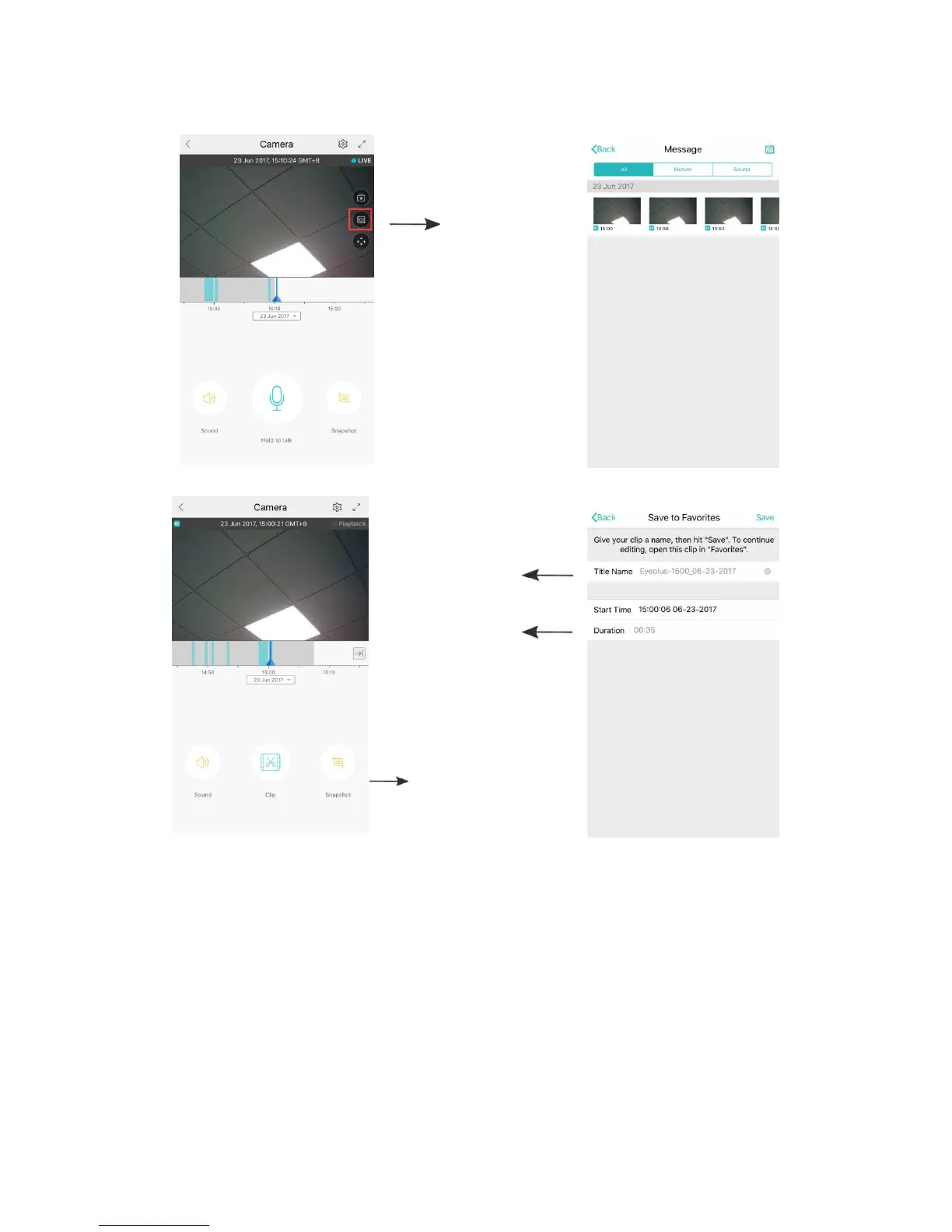
cloud video playback / edit
click the icon,
check the cloud
video page
change the
title of this video
set the time of
this video
choose the video and
click “cut”
Click save, and the video will be saved to “my videos” automatically
2
Favorites video playback / share
A
Click “Favorites”
B
Choose and play the video
C
Click “Share”, you could share your Video on Facebook and YouTube, it will be
shared by link.
D
Select “Download” to save the video to your phone.