2002 Dimension One Spas Export Owner’s Manual
Control Function
5
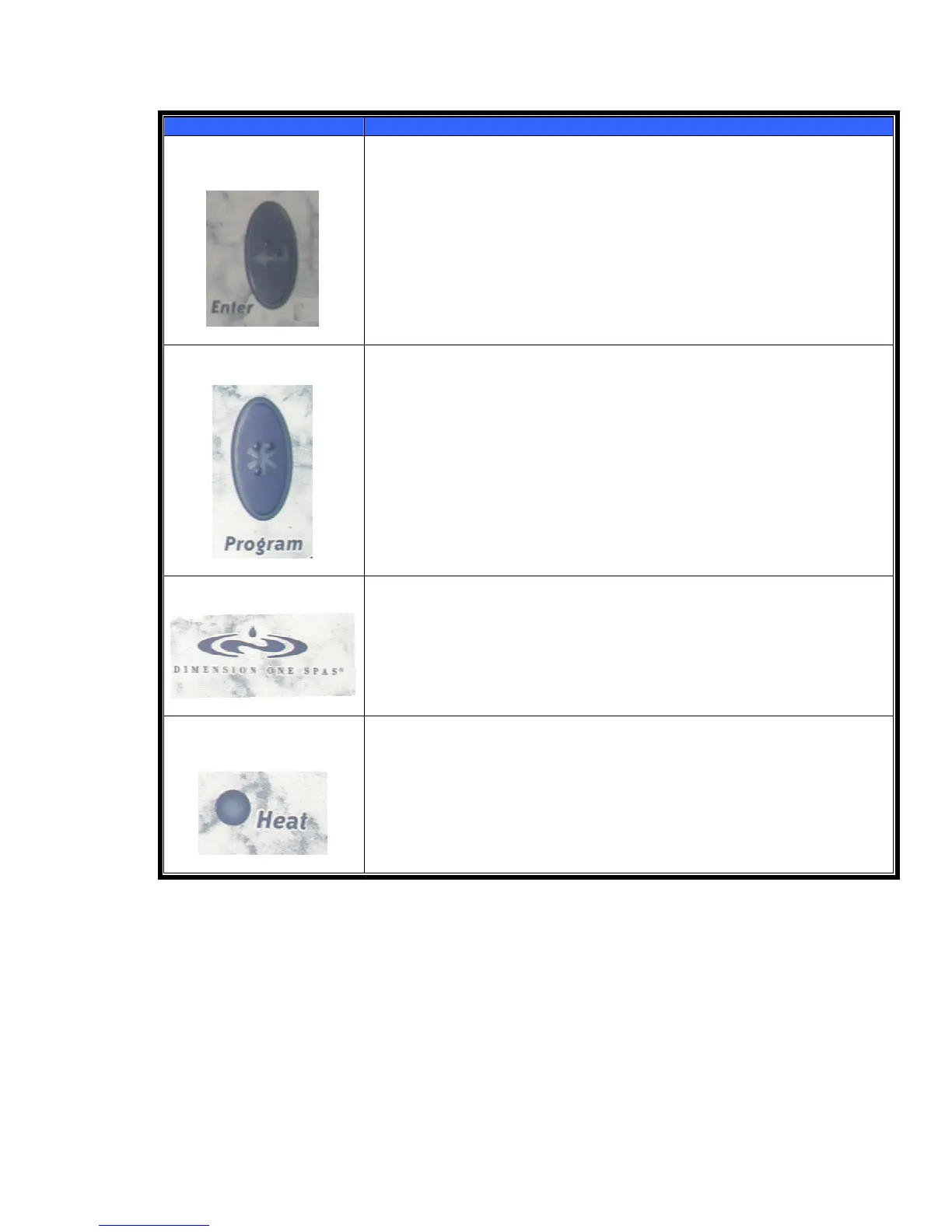
5. ENTER Pad
This pad is used to exit any programming sequence at any time.
6
6. PROGRAM Pad
This pad is used to initiate the time setting, filter programming, and other
programming features. For more information, see the next section,
“Programming the Scrolling Message Center.”
7
7. Dimension One Spas ICON (Logo)
The time of day can be viewed by pushing the Dimension One Spas ICON logo
on the far right of the control panel. If no other pad is pushed within 5 seconds,
the display will revert to the hot tub water temperature reading. The pre-set
factory default is Fahrenheit.
Pressing the logo for 5 seconds will place the spa in the “Standby” mode and
allow the spa to be cleaned without turning off the power.
8
8. Heat Status Light
This Light is illuminated whenever the heater is on.
Scrolling Message Center (Digital Display) Messages
Because of the advanced programming features of your scrolling display, your hot tub will prompt you when you
need to perform routine maintenance. For example:
Rinse Filters
Every other month, the top line of your Digital Display will read, “RINSE FILTERS” and the message “REMOVE
FILTERS & RINSE WITH HOSE... PUSH AND HOLD ICON PAD MORE THAN 3 SECONDS TO RESET THIS
MESSAGE” will scroll from right to left on the bottom line of the display. To reset this message, push and hold the
Dimension One Spas ICON (logo) located at the right hand side of the control for 3 seconds.
13



 To Next Page