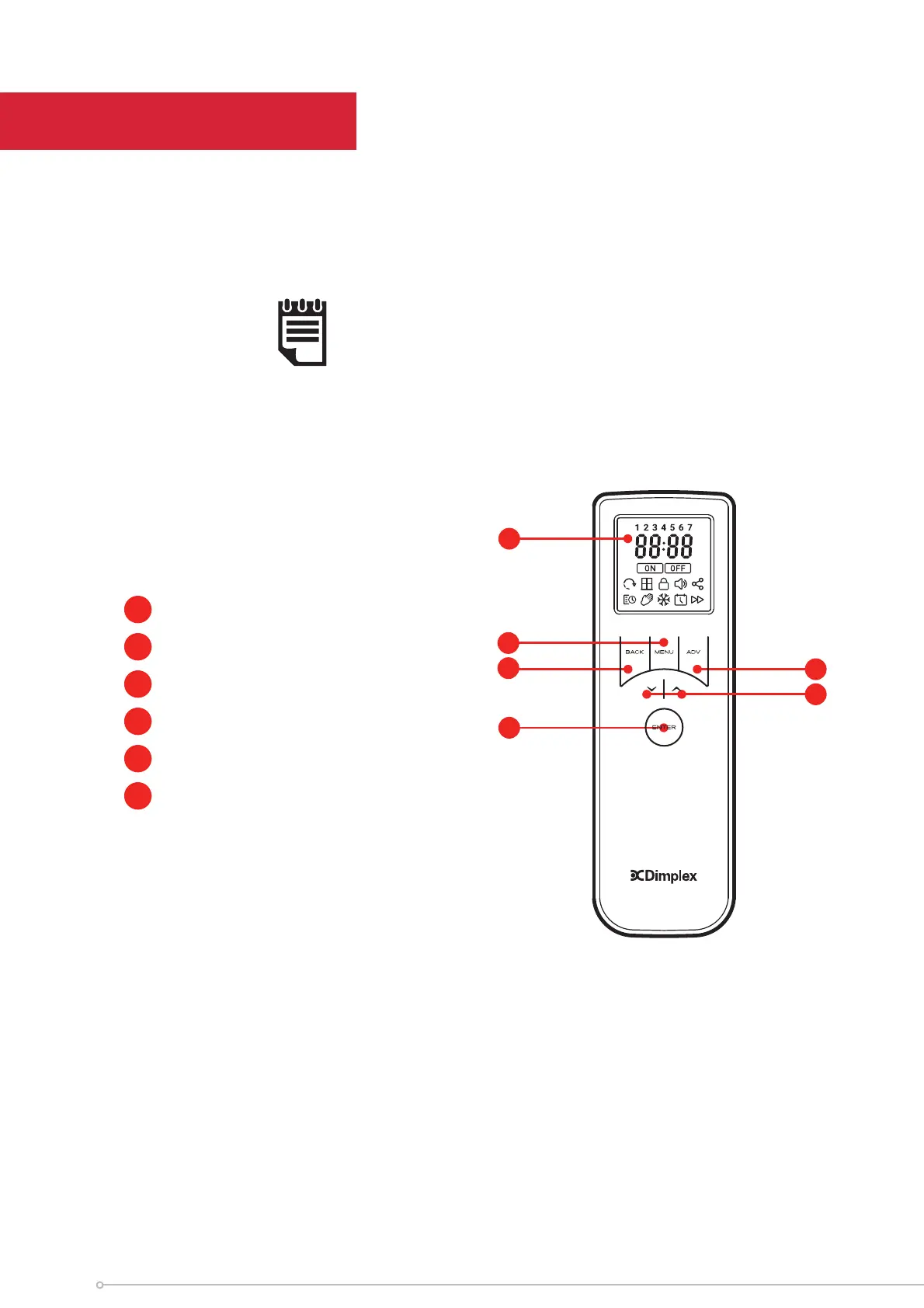
The product is supplied with a Wireless remote control, the remote control should be con-
tained in the carrier bag along with these instructions. This remote control is required to
operate the appliance. When paired with the remote control various operational modes
and features can be accessed.
IMPORTANT NOTE:
The remote control is required to operate the appliance. It is important
that the remote control remains near the appliance at all times.
Remote Control
1
Display Screen
2
‘Menu’ Button
3
‘Back’ Button
4
‘Advance’ Button
5
‘Up and Down’ Arrows
6
‘Enter’ Button
1
3
6
2
4
5
10




 To Next Page