EasyManua.ls Logo

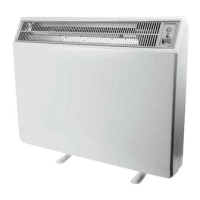
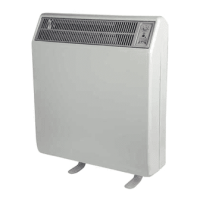
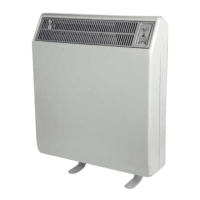
Dimplex CXLS24N - User Manual

Dimplex CXLS24N
10 pages
Print Icon
To Next Page IconTo Next Page
Loading...
Operating Instructions
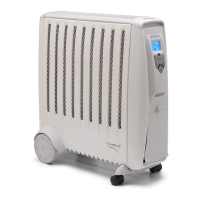
CXLSN automatic storage
and convector heater range
Models: CXLS12N
CXLS18N
CXLS24N
These instructions should be read carefully and
retained for future reference. Note also the
information given on the appliance.
Issue 1 January 2011
1224-CXLSN_STORAGE HEATER INSTRUCTIONS.indd 2 14/01/2011 10:29

Other manuals for Dimplex CXLS24N

Questions and Answers

  • C
    Chad JonesAug 6, 2025
    Why is my Dimplex Heater too cold?
    • T
      Timothy GarciaAug 6, 2025
      Several factors can cause your Dimplex heater to feel too cold. There may have been a power interruption during the off-peak period, affecting the heater's charge. Ensure the off-peak circuit is working, the wall switch is on, and the fuse is okay. You can also try turning up the INPUT control, but note that it may take up to 24 hours to take effect. Alternatively, turn on the 'boost' function. If the heater was covered, the safety cut-out might have been activated, in which case you should contact Customer Services. Also, if you have an automatic heater, the room temperature can affect the charge taken.
  • C
    crobinsonAug 11, 2025
    What to do if my Dimplex CXLS24N is colder than another one?
    • J
      Juan HallAug 11, 2025
      If you have two automatic Dimplex heaters in one area, they might be affecting each other. To resolve this, set one heater higher as a 'primary' heat source and the other lower to provide 'supporting' heat. This prevents them from cancelling each other out and taking a reduced charge.
  • M
    Michael RyanAug 16, 2025
    Why is the front panel of my Dimplex CXL heater cool?
    • D
      Deborah ShepherdAug 16, 2025
      If you have a Dimplex CXL heater, a cool front panel is normal because it's spaced further from the storage bricks than on other storage heaters. If you want more heat, turn the INPUT control up. Alternatively, turn the OUTPUT control down or set the OUTPUT control to minimum, turning it to maximum in the evening for more heat.
  • B
    Brandon RoblesAug 21, 2025
    What to do if my Dimplex room is not warm enough in the evening?
    • C
      cindy37Aug 21, 2025
      Return the OUTPUT control to minimum before you go to bed so that the Dimplex heater can take a full charge.
  • K
    Kelly MartinAug 27, 2025
    How to fix black marks on the wall from my Dimplex storage heater?
    • S
      Sophia PhamAug 27, 2025
      Black marks on the wall above or to the sides of your Dimplex storage heater are often caused by lit cigarettes, candles, or oil burners combined with the heater's convection effect. To address this, consider installing a shelf above the heater. This will divert the rising heat away from the wall and into the center of the room.
  • J
    James ReynoldsAug 31, 2025
    Why does my Dimplex CXLS24N Heater have smells other than during commissioning?
    • S
      Susan HarrisAug 31, 2025
      Apart from the initial commissioning period and dust accumulation after long periods of inactivity, your Dimplex heater should not produce smells. If decorating is being carried out, especially with petrochemical-based substances, turn off the storage heater and ensure the room is well-ventilated before turning it back on.

Summary

Setting Up Your New Heater

Understanding the Heater

The Benefits of Storage Heating

Explains how storage heaters provide consistent room warmth throughout the day and night.

Know Your Heater

Details off-peak electricity, charging process, and the role of the convector heater.

Heater Controls

Input Control Explained

Describes how the INPUT control regulates stored heat and room temperature automatically.

Output Control Explained

Explains the OUTPUT control for regulating airflow and providing a heat boost.

Convector Heater Controls

Details the thermostat, switch, and neon indicator for the convector function.

Setting the Thermostat

Guide on setting the thermostat for desired room temperature and using the convector.

Seasonal Operation

Summer Settings

Instructions for switching the heater off at the wall socket during summer.

Preparing for Colder Weather

Steps to turn the heater on, charge it, and adjust controls for colder periods.

Holiday Settings

Guidance for summer holidays (off) and winter holidays (frost protection).

Troubleshooting Guide

Care and Support

Cleaning Instructions

Guidance on cleaning the heater externally with a dry or damp cloth.

After Sales Service

Information on the two-year guarantee, fault reporting, and contacting customer services.

Spare Parts and Guards

Details on obtaining spare parts and information on protective guards.

Recycling Information

Advice on the responsible disposal of electrical products according to community guidelines.

Dimplex CXLS24N Specifications

General IconGeneral
BrandDimplex
ModelCXLS24N
CategoryHeater
LanguageEnglish

Related product manuals