CONTROLS AND DISPLAY
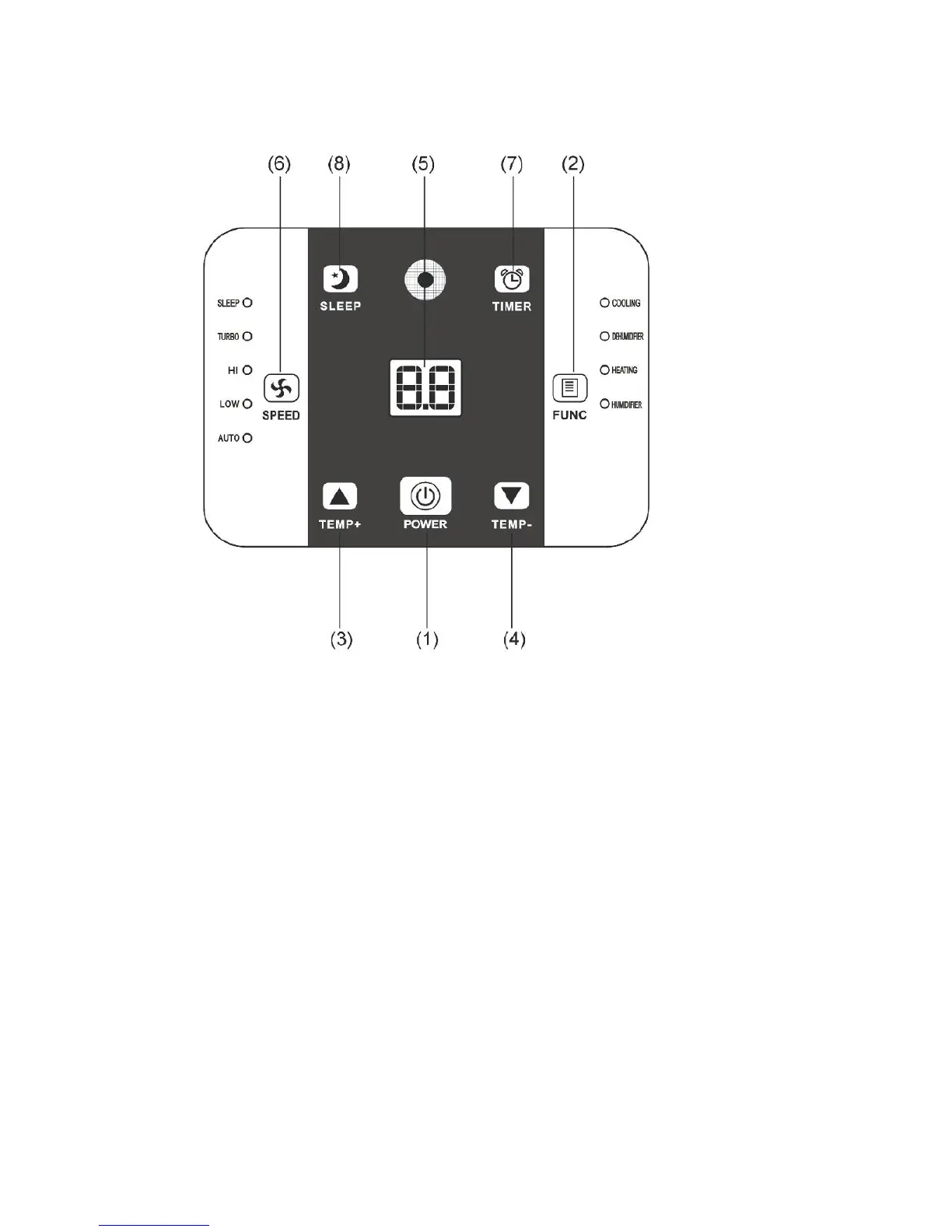
1. POWER Press the POWER button to turn the unit "ON" or "OFF".
※ The portable air conditioner is fitted with a compressor delay protection circuit. This
protects the unit from possible damage due to rapid starting and stopping of its
compressor. Compressor operation begins 3 minutes after the unit is switched on or the
mode is switched from dehumidify to air conditioning.
2. FUNCTION Press this key to select cooling, heating, dehumidifying or
humidifying.
※ Humidifier:
1. The unit will stop automatically after four hours of operation. Put water into the water
filler (10) to restart operation.
2. The unit will stop humidifying if the ambient humidity is equal to the pre-set humidity.


 To Next Page