WPS
UC120
DC12V
Port 0
Port 1
RST
PWR WAN Port 0 WiFi
RUN LAN Port 1 LTE WAN LAN
Network Link
Indicator
OFF
ON
Fast Flashing
OFF
GE
Work at 1000Mbps speed
Network speed lower than 1000Mbps
Network Speed
Indicator
The device is connected properly to
network
The device is not connected to
network or network connection is
working in the improper way
Wi-Fi modular is faulty
Wi-Fi Enable/
Disable Indicator
ON
OFF
Wi-Fi is disabled or faulty
Wi-Fi is enabled
Fast Flashing
Wi-Fi
LTE Indicator
SIM
SIM card is detected and registered to
mobile network successfully. The
indicator flashes every 2 seconds
The device cannot detect with
LTE/GSM module, or LTE /GSM
module is detected but SIM card is not
detected; The indicator flashes every 4
seconds
Slow Flashing
Fast Flashing
RST
//
The port is used to restart device
Note: The above table does not contain all the indicator information. For more
information, please refer to the user manual or contact technical support.
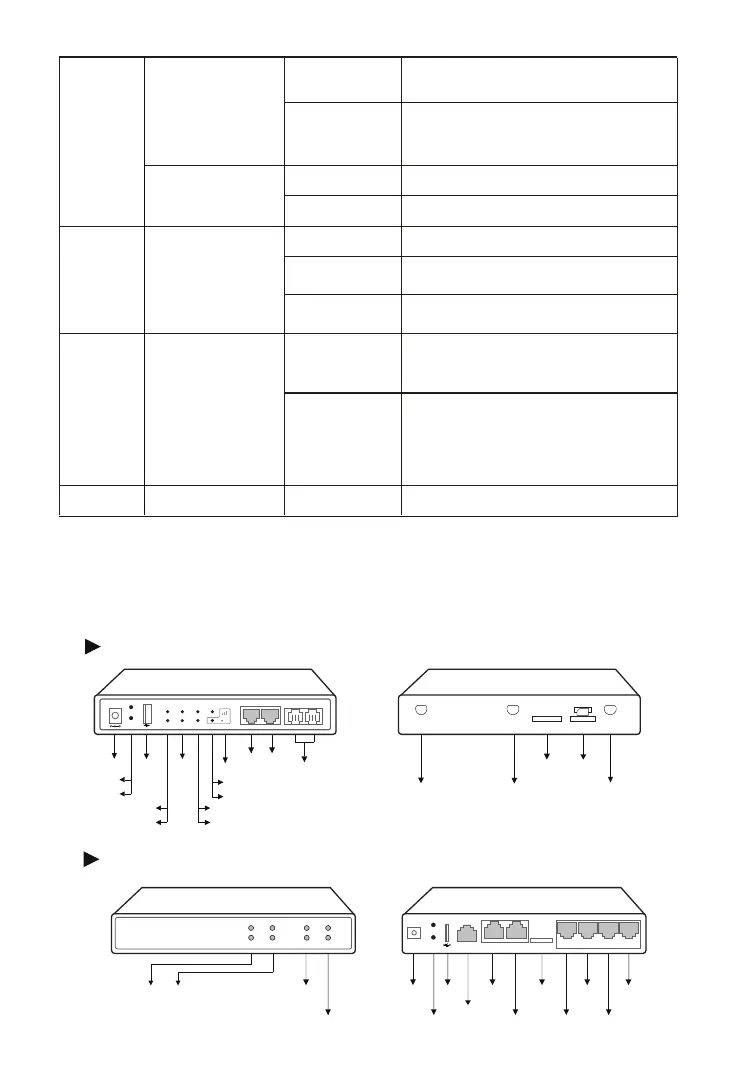
Indicators and Ports
3
UC120
Signal Strength
Power Jack
WAN
LAN
SD Card
SIM Card
WPS
RST
USB
Power Indicator
Running Indicator
Telephone Port
PSTN Line
FXS/FXO
Wi-Fi Status
LTE Status
WAN LAN
LTE Antenna LTE Antenna Wi-Fi Antenna
SD
SIM
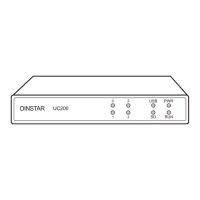
UC200
SDSlotUSB
LAN
FXS0 Indicator
FXO0 Indicator
SD
USB
RUN
PWR
Console
WAN
UC200
FXS1
FXO0 FXO1
ResetPort
Power Indicator
Running Indicator
FXS1 Indicator
FXO1 Indicator
USB Indicator
SD Indicator
Power Port
DINSTAR
FXS0
DC12V
RST
LAN
WAN SD
Console
0 1
2 3
0
1
2
3


 To Next Page