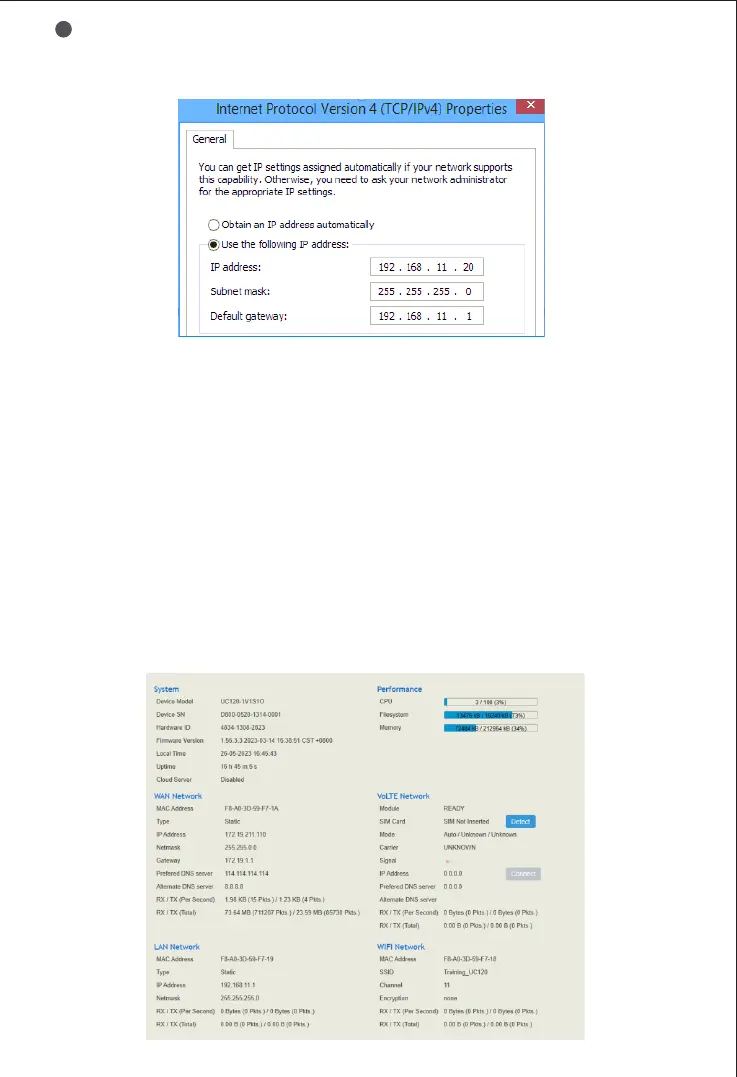
Select ‘Use the following IP address’, and then enter an available IP
address ‘192.168.11.XXX’ which is at the same network segment with
‘192.168.11.1’.
3
Log in
Web Management System
7
Open a web browser and enter the IP address of LAN port (the default IP is
192.168.11.1). You also can enter the IP address of WAN port, but it’s
required to modify the IP address of PC to make it at the same network
segment with that of WAN port.
Username: admin
Password: admin@123#
8
Check Network Status
Users can check network status on the "Status → Overview" page.
For LTE device, view the SIM card status and signal strength on the "status →
Overview" page, while for GSM devices, check the status on the "status → PSTN"
page.


 To Next Page