Voice Assistant & Extra Features (Cont.)
7
Note: before following these instructions, make sure your Dio Node
speakers are already set up on your home Wi-Fi network as described
in the Setting Up Dio Node section
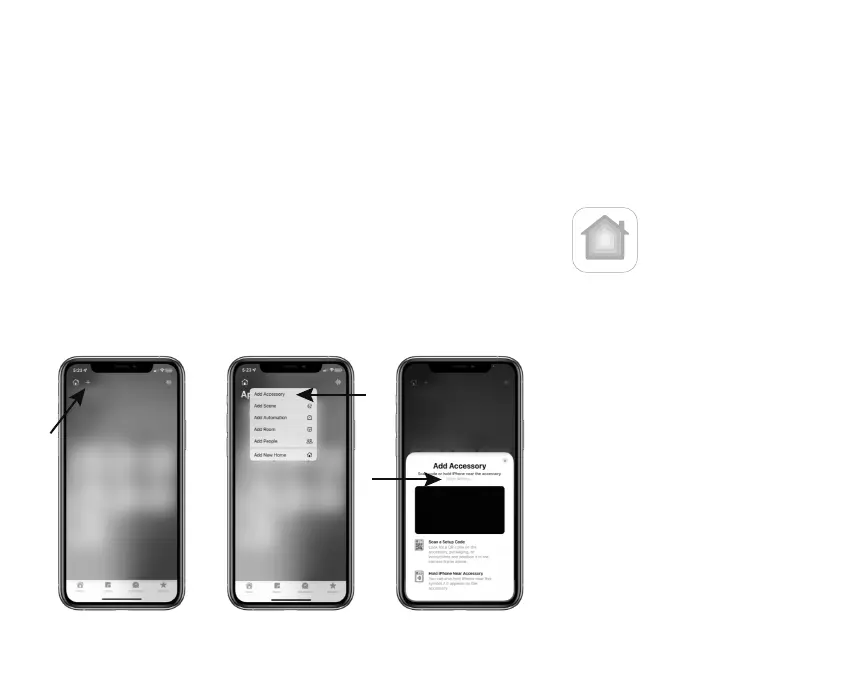
1. Open the Home app on your iPhone / iPad
2. Click the “+” sign and
select “Add Accessory”
3. Click “More options...”
above the camera screen
4. Your Dio Node will
appear on the list.
Select it and follow
on-screen instructions
to proceed.


 To Next Page