3 • System Setup
Doc. 22181-97001 02/18
83
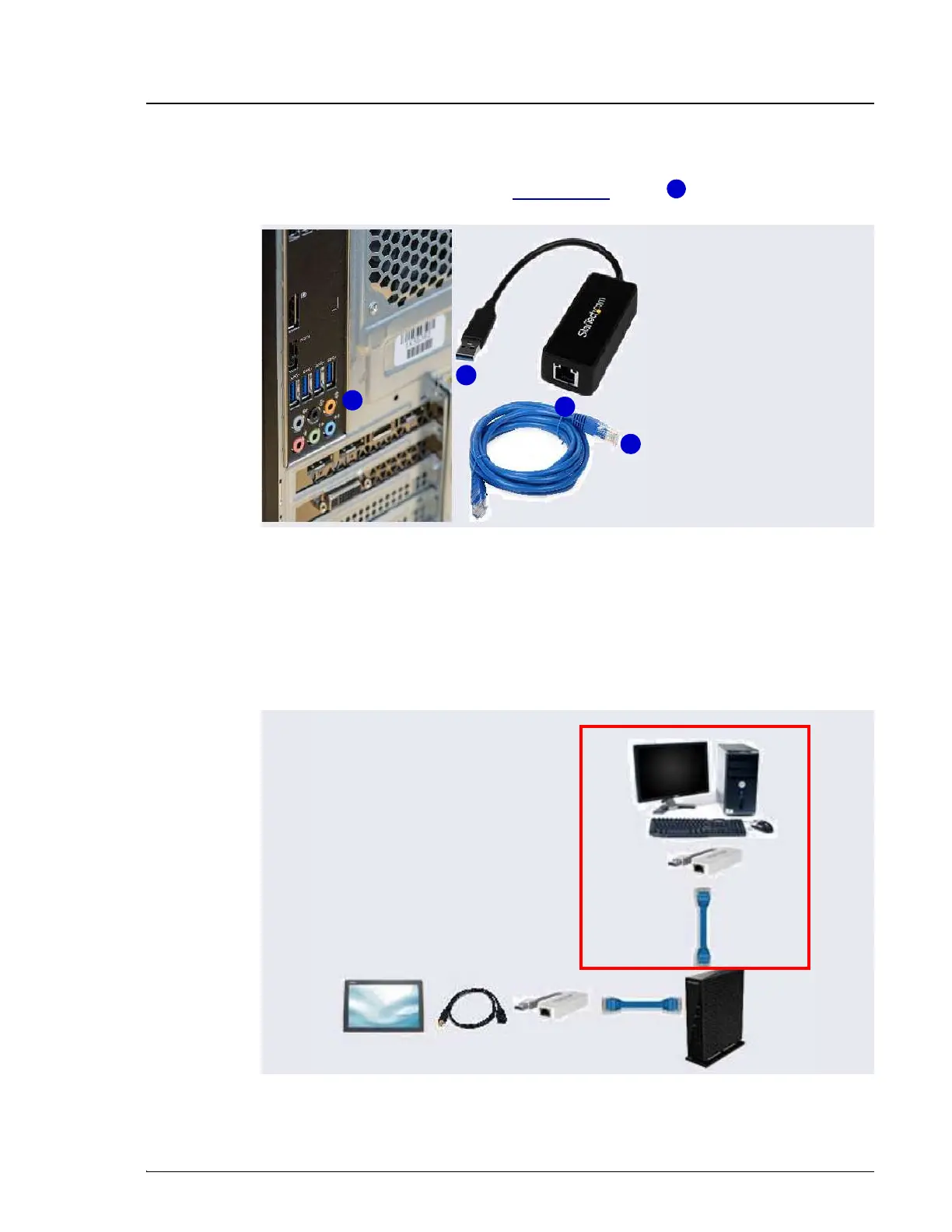
2. Connect an Ethernet cable (P/N 00302-99-00129) to the USB port on the
USB-to-Ethernet adapter (see Figure 3-43, item ).
3. Connect the other end of the Ethernet cable (P/N 00302-99-00129) to any
available LAN port on the router.
NOTE
Do not connect the cable to the yellow Internet port.
Figure 3-42. Ethernet USB-to-LAN Connection
Figure 3-43. Cabling IPC to Router to Tablet
2
1
1
2
2
Ethernet Cable
Tablet
Ethernet
Cable
Router
IPC
USB
Adapter
Optional
USB
Adapter
Optional USB
Extension



 To Next Page