3 • System Setup
Doc. 22181-97001 02/18
67
3.9.1 Getting Started
1. Unpack the Tablet Kit (P/N 22181-62020). The kit contains the tablet and
tablet power supply (P/N HAZMAT-01-00136), as well as setup
instructions from the tablet vendor. (You can disregard the vendor
instructions.)
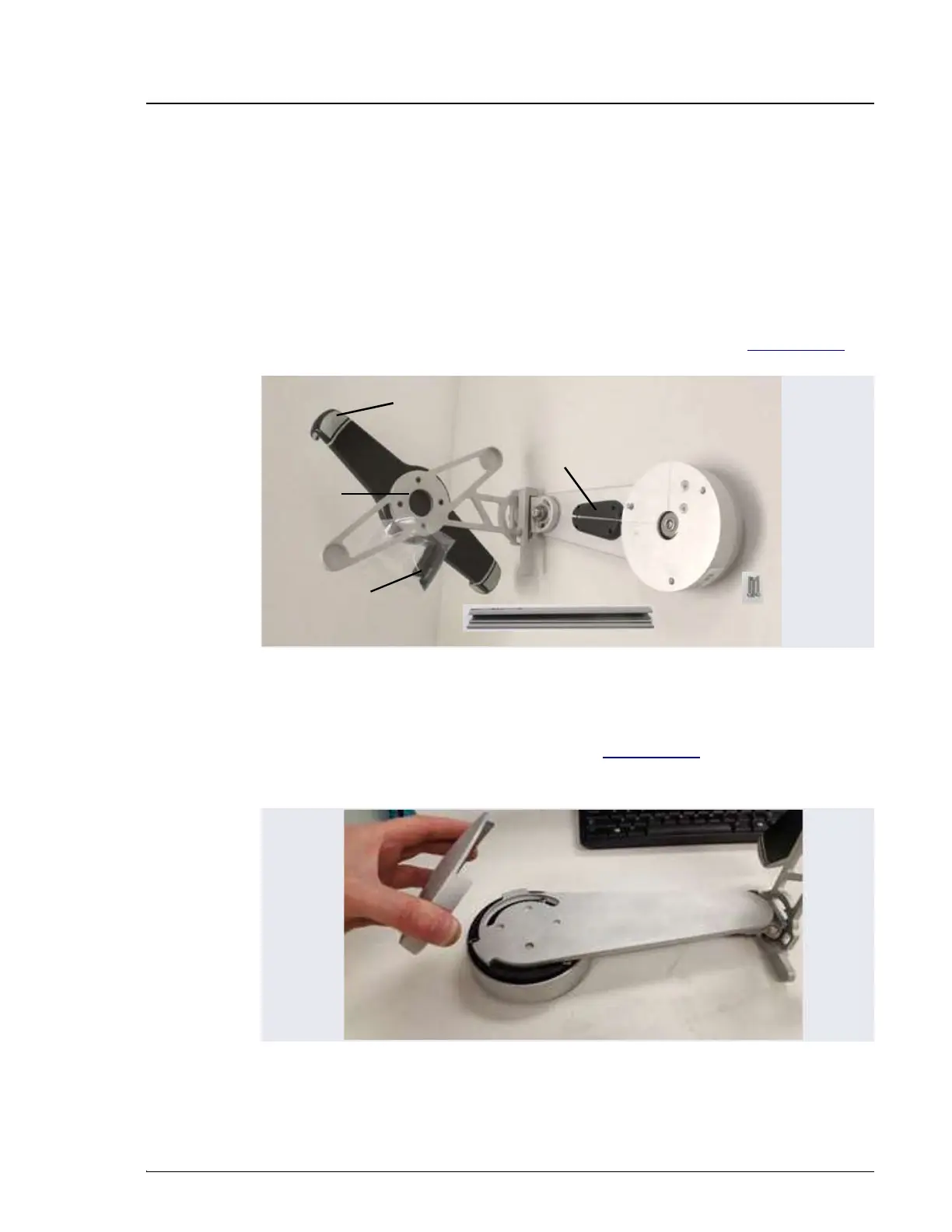
2. Unpack the Tablet Arm/Holder Kit (P/N 22181-62016). The kit contains
all the parts needed to attach the tablet arm to the DC (see Figure 3-26).
3. The mounting arm cover (P/N 22181-60500) is held in place by magnets.
Pull the cover off the mounting arm (see Figure 3-27) and set it aside.
(You will reinstall the cover later.)
Figure 3-26. Tablet Arm/Holder Kit Contents Unpacked
Figure 3-27. Removal of the Mounting Arm Cover
Arm Cover
Cable Guide
Tablet
Holder
Spiral Cable
Wraps
Tablet Tension
Grip
Wiring Duct
3 M4 Screws


 To Next Page
 Loading...