Dionex ICS-6000 Installation Instructions
68
Doc. 22181-97001 02/18
3.9.2 Installing the Tablet Arm/Holder
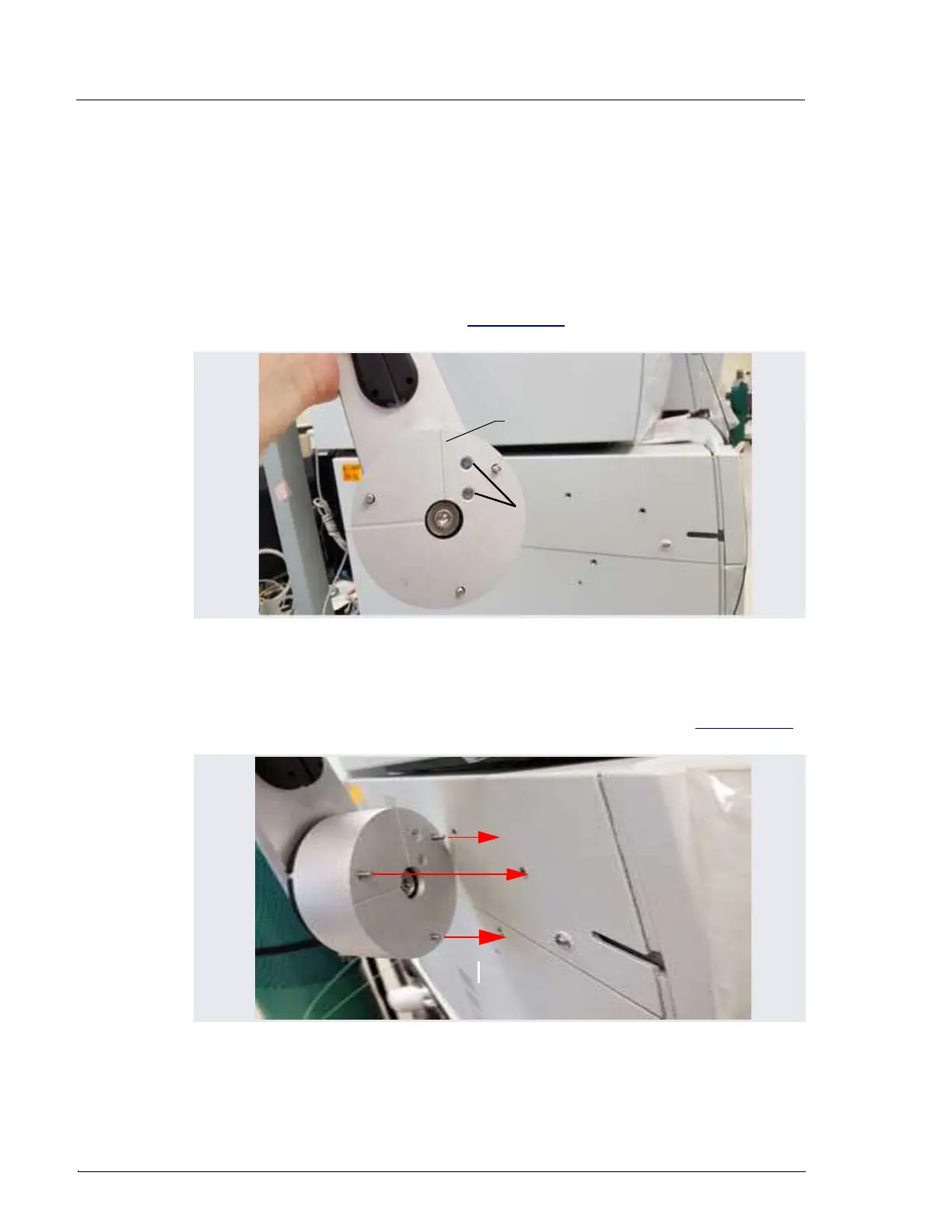
1. Attach the mounting arm (P/N 22181-60500) to the left side of the DC:
a. Note the two lines molded into the base of the tablet mounting arm,
on the inside of the arm (the side of the arm which is installed against
the DC). When installing the mounting arm, make sure the line to the
left of the two fasteners (see Figure 3-28) is in the vertical position.
b. Align the three mounting screws on the base of the mounting arm
with the three mounting holes on the side of the DC (see Figure 3-29)
.
Figure 3-28. Position Indicator on the Tablet Mounting Arm/Holder
Figure 3-29. Tablet Arm/Holder Mounting Screws on the DC
Vertical Position
Indicator
Fasteners



 To Next Page